A NIST CSF profile template is a structured worksheet that records, for each outcome in the NIST Cybersecurity Framework, where your organization is today and where you want to be. It is the practical tool that turns the framework from a reference document into a plan.
NIST published CSF 2.0 on 26 February 2024. It has six functions (Govern, Identify, Protect, Detect, Respond and Recover), 22 categories and 106 subcategories. Profiles are how organizations describe their current cybersecurity outcomes and their targets, and how they prioritize the gaps between them. The framework is voluntary and there is no CSF certification.
This guide shows what columns to include, how to score, and how to convert gaps into a plan. The scores and examples are illustrative.
Free gap assessment
What does your CSF 2.0 Current Profile look like?
Score all 106 subcategories across the six functions, free, including the 31 under Govern that version 1.1 never asked about.
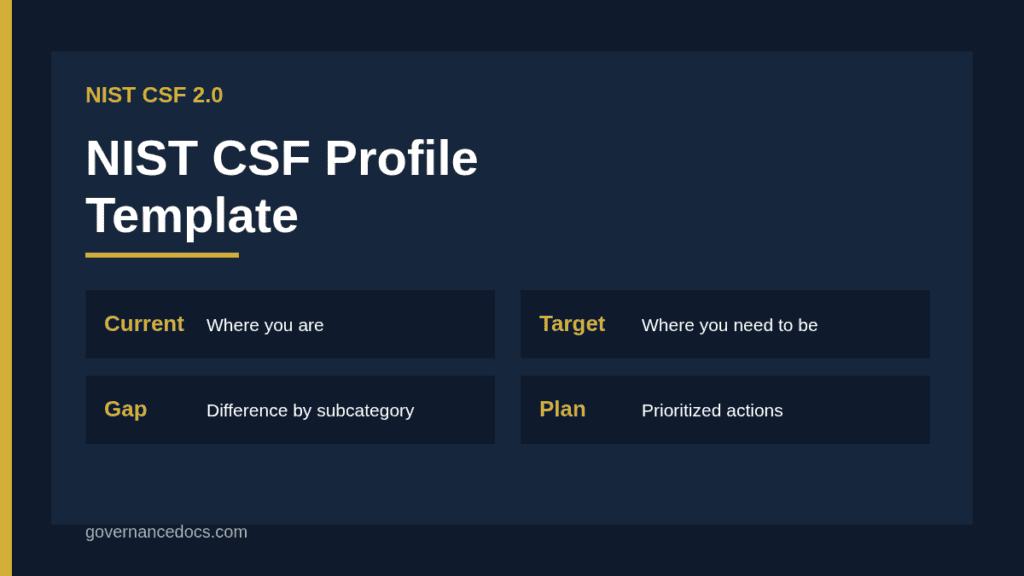
A profile is a snapshot of cybersecurity outcomes chosen from the framework. A current profile shows the outcomes you are achieving today. A target profile shows the outcomes you intend to achieve, based on your risks, obligations and resources. The comparison between the two reveals gaps.
The template matters because the framework itself does not tell you what to do. It lists outcomes, not controls. A good template gives each outcome a place to record status, evidence, owner and target, so conversations move from abstract discussion to concrete decisions.
The broader framework is covered in our guide to NIST CSF 2.0 vs 1.1. The NIST site at NIST Cybersecurity Framework site publishes the framework and supporting guides, including material on creating and using organizational profiles.
Structure of the NIST CSF profile template
Build the template around the six functions. Govern is new in version 2.0 and covers organizational context, risk management strategy, roles, policy and oversight. Identify covers asset management and risk assessment. Protect covers access control, awareness, data security and technology resilience. Detect covers continuous monitoring and adverse event analysis. Respond covers incident management and communications. Recover covers incident recovery.
Free ISO 27001 risk assessment
Which of your risks sit above your appetite line?
Set your own risk criteria, pick from 61 information security risk scenarios, rate likelihood and impact, and decide how to treat each one. You get a heat map, a process score and the findings an auditor would raise, free.
List all 106 subcategories in rows, grouped by function and category. For each row, add the columns shown in the table above, plus an evidence column and a notes column. A single workbook with one tab per function makes the work manageable.
Keep scoring simple. A scale of zero to four, or five levels from not implemented to fully optimized, is enough. Define each level in one line so assessors score consistently. Our guide to NIST CSF maturity levels shows examples.
Column
Purpose
Example
Function and category
Locate the outcome
PR.AA, Identity Management, Authentication, and Access Control
Subcategory
The outcome statement
Users, services and hardware are authenticated
Current status
Where you are now
Partially implemented (2 of 5)
Target status
Where you need to be
Fully implemented (4 of 5)
Gap and priority
Difference and urgency
Gap 2, high
Owner and action
Who fixes it and how
IT lead, roll out MFA by Q3
How to build the current profile
NIST’s quick-start guidance describes a stepwise flow: define the scope, gather information, create the profile, analyze gaps and create an action plan, then implement and update. Follow it in that order.
Start with scope. Decide whether the profile covers the whole organization, one business unit or one critical system, and record the reason. Gather information: policies, risk assessments, architecture diagrams, audit reports, tool inventories and interviews with control owners. The audit guide in NIST CSF audit checklist helps structure questions.
Then score each subcategory for your current state, with evidence. Be honest. The value of the profile comes from accuracy. Inflated scores hide the gaps you most need to see.
How to build the target profile
The target profile should reflect your risk. A regional retailer and a hospital will not aim for the same outcomes. Consider threats, legal and contractual obligations, customer expectations, resources and risk appetite. Pick a target status for each subcategory, and note the reason when it is below the maximum.
Use Implementation Tiers as context. Tiers describe how rigorous and integrated your risk governance and risk management practices are, from partial to adaptive. They are not maturity levels to be reached at any cost. See NIST CSF tiers for guidance.
Consider community profiles where they exist. NIST has published profiles for specific threats, such as ransomware, which can help you set targets. See NIST ransomware profile.
Analyze gaps and prioritize
Subtract current from target for each row and sort. A large gap on a subcategory that protects a critical asset deserves priority over a large gap on a low-impact area. Combine the gap with risk and effort: high risk and low effort first, high risk and high effort scheduled, low risk items deferred.
Look for patterns. Several gaps in asset inventory, for example, may be blocking improvements elsewhere. Fixing the root cause can close many rows at once.
Include the new Govern function in your analysis. Gaps in roles, policy and risk strategy often explain gaps elsewhere, as described in NIST CSF Govern function.
Turn the profile into an action plan
For each priority gap, write an action: what will be done, who owns it, when it is due and what evidence will show completion. Keep the list short. A plan with thirty actions rarely gets completed, while a plan with eight well-owned ones often does.
Connect the plan to budgets and projects. If an action needs funding, show the cost and the risk reduction. Track progress monthly and report the status to leadership in simple charts: gaps closed, gaps open and overdue actions.
Update the profile at least annually and after major changes such as new systems, acquisitions or incidents. Supply chain risks deserve their own attention; see NIST CSF supply chain risk management.
A short NIST CSF profile template example
A 200-person company reviews the subcategory that calls for users, services and hardware to be authenticated. Current status: multi-factor authentication covers email and the VPN but not the finance system or admin consoles, so the score is 2. Target: score 4 within a year, covering all privileged and remote access. Gap: 2. Priority: high, because the finance system holds sensitive data.
Action: the IT lead extends multi-factor authentication to the finance system and admin consoles by the third quarter, with a report from the identity platform as evidence. Another row shows a minor gap in logging retention, which is scheduled for next year. The example is invented, but it shows how a NIST CSF profile template converts an outcome into a tracked action.
Repeat for all relevant subcategories and review the pattern of results with leadership.
Mapping the profile to other frameworks
Many organizations already work with other standards. The profile can carry mappings, for instance to ISO 27001 controls or NIST SP 800-53, so one assessment serves several needs. See NIST CSF vs ISO 27001 and NIST CSF and 800-53 mapping.
Mapping saves time with customers and auditors because you can answer questionnaires from one source of truth. It also reveals where frameworks overlap and where they do not.
Keep mappings current, because frameworks change. Cite the versions you used and the date of the mapping.
Common mistakes with a NIST CSF profile template
The first mistake is scoring optimistically. Teams often rate a control as implemented because a policy exists, even though it is not followed. Require evidence for every score above the lowest levels. The second mistake is setting every target at the maximum. That ignores cost and risk, and it produces a plan nobody can deliver. The third is treating the profile as a one-time compliance exercise. A NIST CSF profile template only helps when it is revisited and changes are tracked.
The fourth is working in isolation. Security teams cannot score business processes alone. Involve IT operations, HR, legal, procurement and business owners, especially for the Govern and Identify functions. The fifth is skipping the action plan. A beautiful gap chart that never becomes projects changes nothing. Finally, avoid renaming the framework’s outcomes in ways that break mappings; keep the official wording and add your own notes in a separate column.
Reporting results from the NIST CSF profile template
Leaders want a short summary. Show the average score by function for current and target, the ten largest priority gaps and the status of the action plan. A simple radar or bar chart works well, along with a few sentences on what changed since last time. Translate gaps into business terms, such as which critical service is exposed, so the discussion focuses on decisions and resources instead of framework jargon.
Using a ready-made NIST CSF profile template
Building the workbook, scoring rules, tier assessment and reports from scratch takes significant effort. A prepared template set gives you a consistent structure.
The NIST CSF Toolkit provides 164 editable documents covering all 106 subcategories of CSF 2.0, including a scored assessment and maturity tool, current and target profiles and an Implementation Tier self-assessment. Use it as the working structure for your profile, and adapt the policies to your organization. For policy drafting support, see NIST CSF policy templates.
Start with a narrow scope, finish one full cycle and then widen it.
NIST CSF profile template FAQ
What is a NIST CSF profile?
It is a record of the cybersecurity outcomes from the framework that an organization is achieving (current profile) or wants to achieve (target profile).
How many subcategories are in CSF 2.0?
CSF 2.0 has 6 functions, 22 categories and 106 subcategories.
Is there a NIST CSF certification?
No. The framework is voluntary and NIST does not certify organizations against it.
How often should I update my profile?
At least once a year and after major changes such as new systems, acquisitions or significant incidents.
Do I need to cover all 106 subcategories?
You should review all of them, but your target profile may set different levels or mark some as not applicable based on risk, with reasons recorded.