

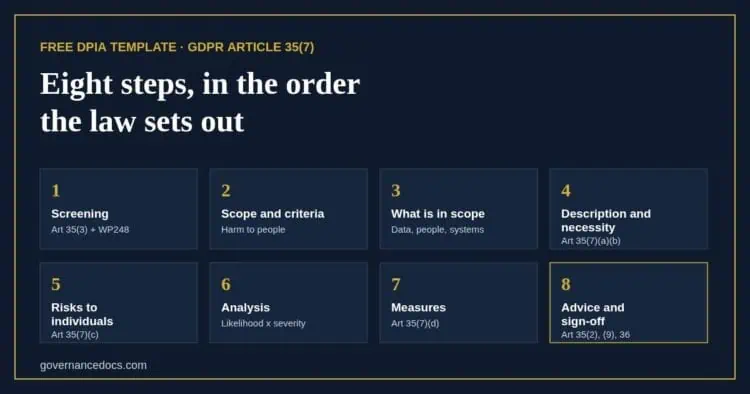
This free DPIA template works the way a data protection impact assessment has to: one processing operation, assessed before it starts, in the order GDPR Article 35(7) sets out. Instead of a blank Word document, it asks the questions in turn, checks your answers as you go and tells you what an authority would still ask for.
Start by screening the processing against the three cases in Article 35(3) and the nine criteria in the WP248 guidelines endorsed by the EDPB. Then describe it, test its necessity and proportionality, rate the risks to the people concerned from a library of 29 scenarios, choose the measures that address each one and record the DPO’s advice and your sign-off. It is free, and your answers save as you go.
Premium report
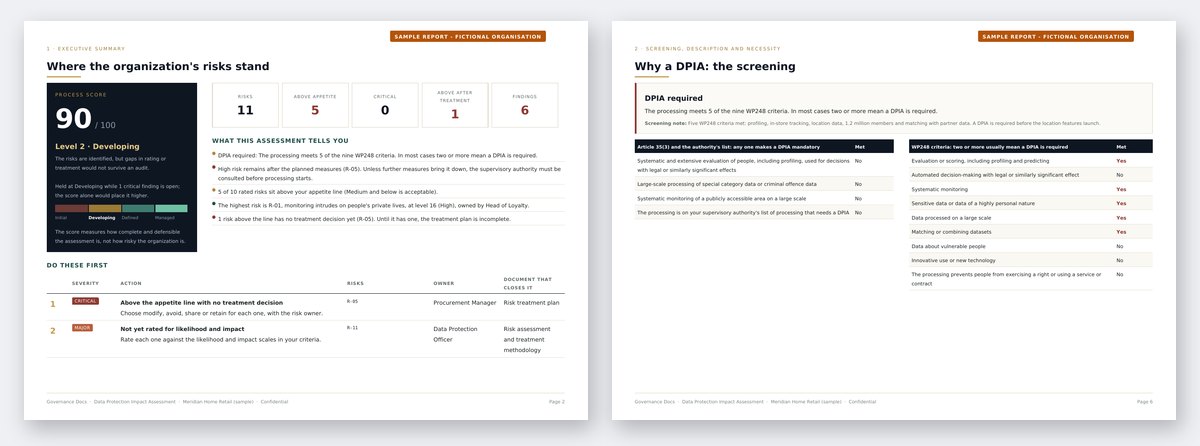
See what the premium data protection impact assessment report looks like
A worked DPIA for a fictional organization: the screening result, the description of the processing, the necessity and proportionality test, every risk to individuals with its measures, the DPO's advice and sign-off, every finding with what closes it, an AI-assisted analysis with a 30/60/90-day roadmap, plus the live Excel workbook.
Other free risk assessments: Information Security Risk Assessment (ISO 27001) Privacy Risk Assessment (ISO 27701) Business Continuity Risk Assessment (ISO 22301) Enterprise Risk Assessment (ISO 31000) AI Risk Assessment (ISO 42001) Transfer Impact Assessment (GDPR) AI System Impact Assessment (ISO 42005) Legitimate Interests Assessment (GDPR) Third-Party Risk Assessment (ISO 27001)
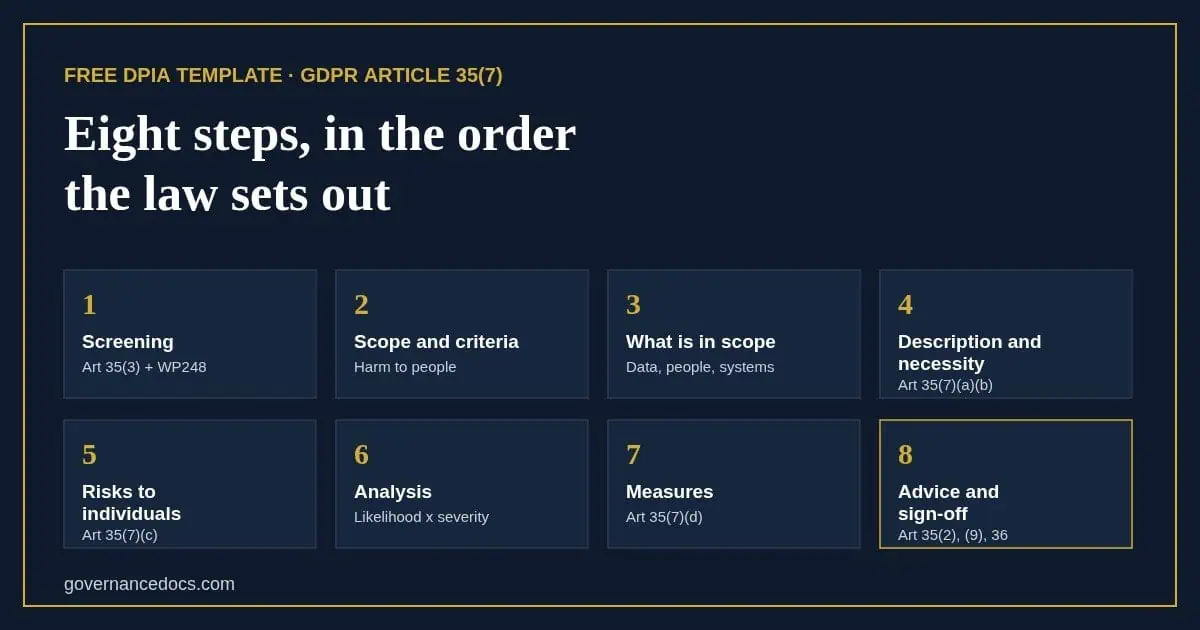
What this DPIA template covers
- Screening. Whether a DPIA is required: the Article 35(3) cases, your supervisory authority’s list and the nine WP248 criteria, with the verdict and a note of your reasoning.
- Scope and criteria. The processing you are assessing, and likelihood and severity scales that describe the harm to people, not to the organization.
- What the processing involves. The categories of personal data, the people concerned, the processing steps, the systems, the processors and recipients, and where the data goes.
- Description and necessity. Purposes, nature, scope, context, lawful basis, retention and transfers (Article 35(7)(a)), and ten necessity and proportionality questions (Article 35(7)(b)).
- Risks to individuals. Scenarios from loss of control and unexpected uses to unfair profiling, automated decisions without human review, monitoring, breaches and transfers, each rated for the people concerned (Article 35(7)(c)).
- Measures. The data protection measures that address each risk, each referenced to its GDPR article, with an owner, a date and the level expected afterwards (Article 35(7)(d)).
- Advice and sign-off. The DPO’s advice and whether it was followed (Article 35(2)), the views of the people concerned (Article 35(9)), the outcome and the review date (Article 35(11)).
What you get from the DPIA template, free
The screening verdict, a heat map of the risks to individuals, the Article 36 check that tells you whether High or Critical risk remains once your measures are in place, a process score out of 100, and the findings an authority or auditor would raise, such as a necessity question answered no or DPO advice that was never recorded. Sign in and it stays in your account, ready for the review.
The full DPIA report writes it all up in the Article 35(7) order, with the measures by owner and due date, the sign-off, an AI-assisted analysis with a 30/60/90-day roadmap, and the whole DPIA as a live Excel workbook.
Where this fits
This DPIA template looks at one processing operation. To see privacy risk across everything you do, run the privacy risk assessment: the high risks it finds are usually the operations that need a DPIA. Our DPIA guide covers the method in full, and privacy risk assessment vs DPIA explains how the two fit together. If your lawful basis is legitimate interests, record the balancing test in a legitimate interests assessment; DPIA vs LIA explains how the two fit together. To check your wider programme, run the GDPR gap assessment.
Want to see a finished one first? Our DPIA example walks through a complete assessment of telematics and in-cab cameras, from the screening to the sign-off.
Frequently asked questions
When is a DPIA required?
Before processing that is likely to result in a high risk to people’s rights and freedoms. Article 35(3) names three cases that always need one, supervisory authorities publish lists of others, and the WP248 guidelines say processing that meets two or more of their nine criteria usually does. The screening step works through all of them, and our guide to when a DPIA is required explains each test.
Does this DPIA template work for UK GDPR?
Yes. UK GDPR keeps the same Article 35 requirements, and the ICO’s screening list plays the role of the authority’s list in the screening step.
What happens if high risk remains?
If the DPIA shows high risk that your measures cannot reduce, Article 36 requires you to consult the supervisory authority before processing starts. The tool flags every risk still High or Critical after the planned measures, so you can add measures or record the consultation as the outcome.
Is this a substitute for legal advice?
No. It is a structured self-assessment built from the information you enter, and Governance Docs does not review or verify it. Your DPO, where you have one, should advise on the DPIA, as Article 35(2) requires.
What happens to the information I enter?
It is stored with your assessment so you can come back to it, and it is never shared. Describe the processing and the data by category rather than entering any real personal data. You can delete an assessment permanently from your account at any time.