An OT asset inventory is the maintained record of every controller, workstation, network device, safety system and connection in your industrial environment, with enough detail to make a security decision about each one. If you cannot say what sits on a control network, what firmware it runs and who owns it, you cannot scope a risk assessment, segment zones, judge a vendor advisory or respond to an incident with confidence.
The short answer: scope it, combine physical walkdowns, engineering files and passive network monitoring, use active querying only under change control, classify assets with a taxonomy, and tie every update to management of change. That broadly mirrors the five-step process in Foundations for OT Cybersecurity: Asset Inventory Guidance for Owners and Operators, published on August 13, 2025 by CISA with eight partner agencies from the US, Australia, Canada, Germany, the Netherlands and New Zealand.
Below: how it maps to IEC 62443, what to capture, and how to discover assets without tripping a running process.
Free gap assessment
Does your IACS programme match the 2024 restructure?
Score the eight security programme elements, free, with zones, conduits and target security levels assessed alongside them.
Why an OT asset inventory is the foundation of IEC 62443
Almost every part of the IEC 62443 series assumes you already know what you are protecting, so a weak inventory shows up as gaps in several places at once.
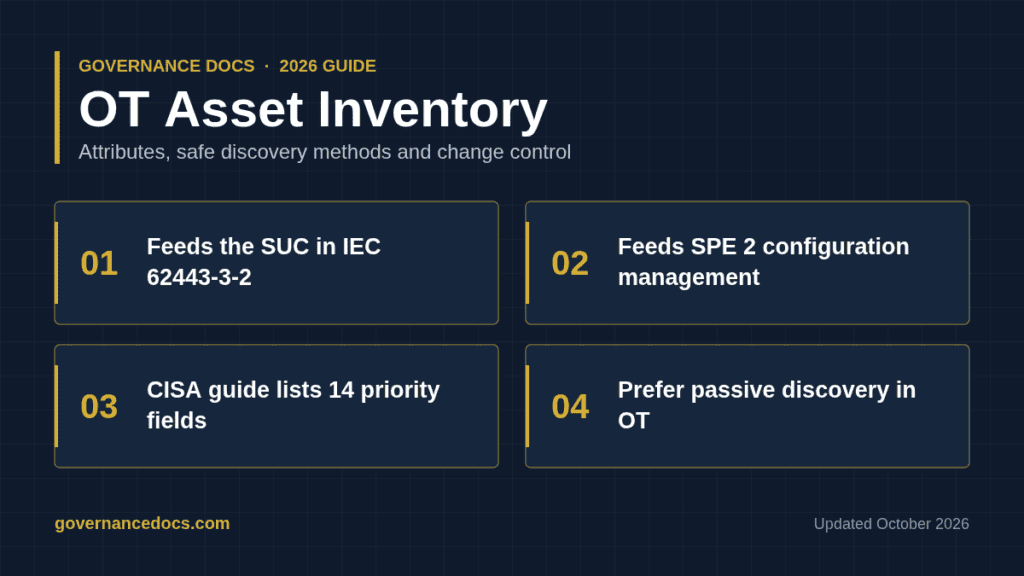
Defining the SUC (IEC 62443-3-2). ZCR 1 is “Identify the SUC”, the system under consideration. You cannot draw its boundary or partition it into zones and conduits (ZCR 3) without a reliable list of assets and connections, and the SUC description is part of the ZCR 6 output.
Configuration management (IEC 62443-2-1:2024). Edition 2.0 groups asset owner requirements into eight security program elements. SPE 2, Configuration management, depends on an accurate inventory, because you cannot baseline or control changes to assets you never recorded.
System capability (IEC 62443-3-3). SR 7.8, Control system component inventory, makes the system’s ability to report its own components part of what you assess.
Patching. IEC TR 62443-2-3 covers patch management. Matching a vendor advisory to your plant requires model, firmware and software versions per asset. Without them, every advisory becomes a site survey.
Incident response. When monitoring flags an unknown IP address talking Modbus to a PLC, responders need to know fast what it controls, who owns it and whether it is safety-related.
Build the inventory before you start the IEC 62443 risk assessment process. The SUC definition feeds all the zone and conduit work that follows.
Free ISO 27001 risk assessment
Which of your risks sit above your appetite line?
Set your own risk criteria, pick from 61 information security risk scenarios, rate likelihood and impact, and decide how to treat each one. You get a heat map, a process score and the findings an auditor would raise, free.
CISA’s guidance lists 14 high-priority attributes, from asset role and criticality to IP and MAC addresses, protocols, logging and user accounts. Treat that list as the floor. In our experience, the fields that pay back fastest connect an asset to risk and to a responsible person.
Attribute
Why it matters
Unique asset ID or tag number
Links the record to drawings, maintenance records and the cabinet label.
Asset role and type
Drives criticality, the hardening standard and which procedures apply.
Manufacturer, model, hardware revision
Needed to match vendor advisories and plan spares.
Firmware, OS and software versions
Most useful for patch and vulnerability decisions; hardest to keep current.
IP address, MAC address, hostname
Lets analysts turn an alert into a physical device quickly.
Protocols, ports and services
Defines expected traffic for conduit rules and anomaly detection.
Physical location
Supports walkdowns, physical security and emergency isolation.
Zone and conduit assignment
Ties the asset to its target security level and segmentation rules.
Criticality and safety role
Separates assets whose failure stops production or affects safety.
Owner and support contact
Someone must approve changes and answer questions at 3 a.m.
Support status
Flags end-of-life assets that need compensating controls.
Remote access path
Shows which vendors or integrators can reach the asset, and how.
User accounts and logging
Exposes default or shared accounts and shows whether events reach monitoring.
Last verified date and method
Tells you how much to trust the record.
Keep the first OT asset inventory lean
Do not try to fill 60 fields on day one. A first baseline with ID, role, location, zone, criticality, owner and firmware for every networked asset beats a perfect record for a tenth of the plant. Add fields once the update process works.
Discovery methods: four ways to find what you have
No single method builds a complete OT asset inventory. Most sites need all four, used in a deliberate order.
Method
Finds well
Misses or risks
Manual walkdowns
Serial devices, unmanaged switches, cellular modems, undocumented gear in cabinets
Slow and labor-intensive; firmware often unreadable without connecting
Engineering and vendor files
Controller configuration, I/O and firmware in PLC and DCS projects; as-built drawings
Shows design intent, not always today’s plant
Passive network monitoring
Devices that communicate, protocols, flows, many firmware versions
Quiet devices, non-IP networks, segments without a sensor
Active querying
Exact firmware, serial numbers, installed software, configuration
Can disrupt fragile devices if done carelessly
Walkdowns are the only way to find what the network never shows: serial links, cellular modems, a forgotten switch under a desk. Photograph nameplates and record cabinet locations as you go.
Engineering and vendor files are often the richest source. PLC and DCS projects, I/O lists and network drawings already hold model and configuration data, and CISA names vendor manuals and maintenance records as further sources worth weighing.
Passive monitoring reads industrial protocol traffic from a SPAN port or network tap without sending anything. It is the safest way to discover live IP assets, but it only sees devices that talk on monitored segments. Plan sensor placement against your Purdue model levels so Levels 1 to 3 are covered, not only the plant DMZ.
Active querying sends requests to devices through native protocol reads, vendor tools or authenticated queries to Windows hosts, pulling exact versions and serial numbers. It fills the gaps passive monitoring leaves, at a price.
The safety risks of active scanning in OT
Active scanning is the part of an OT asset inventory project most likely to hurt the process. Generic IT scanners assume targets that shrug off unexpected packets. Many controllers, RTUs and protection relays run limited network stacks. In our experience, aggressive port scans or fast sweeps can make older devices drop communications, reboot or fault into a stop state, which can mean loss of view or loss of control of a running process.
The CISA guidance states that it does not address OT safety topics, so your own process safety and change rules must fill that gap. Guardrails that work in practice:
Never point a default IT scan profile at a live control network.
Prefer protocol-native or vendor-approved queries, rate-limited and aimed at known addresses.
Test the exact query against identical hardware on a bench first.
Route every active discovery job through management of change, with operations sign-off and an engineer on standby.
Exclude safety instrumented systems unless the vendor has approved the method.
Schedule first runs during planned outages or low-risk windows.
Building an asset taxonomy for your OT asset inventory
A flat list of 3,000 devices is hard to use. A taxonomy gives each asset a place in a hierarchy and a class, so you can ask questions like “which Tier 1 controllers in Zone 3 run unsupported firmware?”
CISA’s third step covers this: classify assets by criticality or function, organize assets and communication paths using zones and conduits per ISA/IEC 62443, map dependencies, adopt naming conventions, then validate. Its appendices for oil and gas, electricity, and water and wastewater are presented as conceptual examples, not authoritative models.
A practical structure:
Location hierarchy: site, area, process unit or line, cabinet.
Security grouping: zone and conduit, matching your 3-2 partitioning.
Asset class: controller, safety controller, HMI, engineering workstation, server or historian, network or security device, field device, IIoT gateway, transient device.
Criticality tier: three tiers are usually enough, defined by consequence to safety, environment and production.
Write the definitions down. Two engineers classifying the same device differently is a common reason taxonomies decay.
Keeping it current through management of change
An OT asset inventory starts going stale the day the survey team leaves. The durable fix is to build it into the change process. CISA’s fifth step calls for inventory updates for every device added or removed, even under emergency change authority.
Add “inventory updated” to the MoC closure criteria, verified by the inventory owner.
For emergency changes, set a short retrospective deadline to update records (we typically see 5 to 10 working days).
Reconcile passive monitoring results against the register monthly. Every unknown device is either a new record or an incident.
Walk down critical zones at least once a year and record the verification date.
Include decommissioning: remove the record, update drawings and confirm the device was sanitized.
Name an inventory owner per site, with authority to hold MoC closure.
Simple metrics keep the program honest: share of assets with a recorded firmware version or a named owner, unknown devices found per month, and average age of the last verification.
Common OT asset inventory mistakes
Treating it as a tool deployment. A discovery platform produces data. The inventory is a governed record with owners, definitions and a change hook.
Relying on passive monitoring alone. It misses serial networks, quiet devices and unmonitored segments.
Copying IT CMDB fields. Without zone, criticality and safety role, the data cannot support an IEC 62443 asset inventory or a 3-2 risk assessment.
Ignoring transient and vendor assets. Maintenance laptops, USB devices, cellular gateways and remote access appliances are often the real entry points.
Leaving the inventory unprotected. A complete ICS asset inventory is an attacker’s map, so store it in a centralized system with security controls, as CISA recommends.
Citing outdated clauses. Procedures written against IEC 62443-2-1:2010 reference a structure the 2024 edition of IEC 62443-2-1 replaced with security program elements.
If you would rather not draft the OT asset inventory register and procedures from scratch, the IEC 62443 Toolkit ($149) includes an asset inventory section of six documents, among them an IACS Asset Inventory Register workbook. Its 117 editable templates (82 Word, 35 Excel) in 16 sections are written against IEC 62443-2-1:2024. It supplies the documented layer only; your team still runs discovery, keeps the register current and retains the records.
OT asset inventory FAQs
What is the difference between an ICS asset inventory and an IT CMDB?
An ICS asset inventory adds process context an IT CMDB usually lacks: zone, criticality, safety role, the process each asset controls and the engineering files holding its configuration. It must also cover serial and other non-IP devices. Many organizations link the two, but few can reuse CMDB fields as they are.
Does IEC 62443 require an asset inventory?
There is no standalone inventory part, but the series depends on one throughout: 3-2 starts by identifying the SUC, 2-1:2024 includes configuration management as SPE 2, and 3-3 includes SR 7.8 for component inventory. In our experience, assessors expect the inventory to be current and tied to change control, not a one-off spreadsheet.
Is active scanning ever acceptable in OT?
Yes, when planned. Targeted, rate-limited, protocol-native queries, tested on bench hardware and approved through management of change, are common practice. Uncontrolled IT-style scanning of a running control network is not.
How long does it take to build an OT asset inventory?
As a practitioner estimate, a single site with a few hundred networked assets typically needs 6 to 12 weeks for a first validated OT asset inventory baseline, depending on the quality of engineering documentation and access to plant areas. Multi-site programs take longer.