CART

A SaaS vendor risk assessment looks different from a traditional supplier review, because the vendor runs the software, hosts your data, shares its infrastructure with other customers and changes the product every few weeks. A questionnaire written for an outsourcing contract misses most of what matters. This guide covers what a SaaS vendor risk assessment should check, the evidence to ask for, and the risks that are specific to software you rent rather than run.
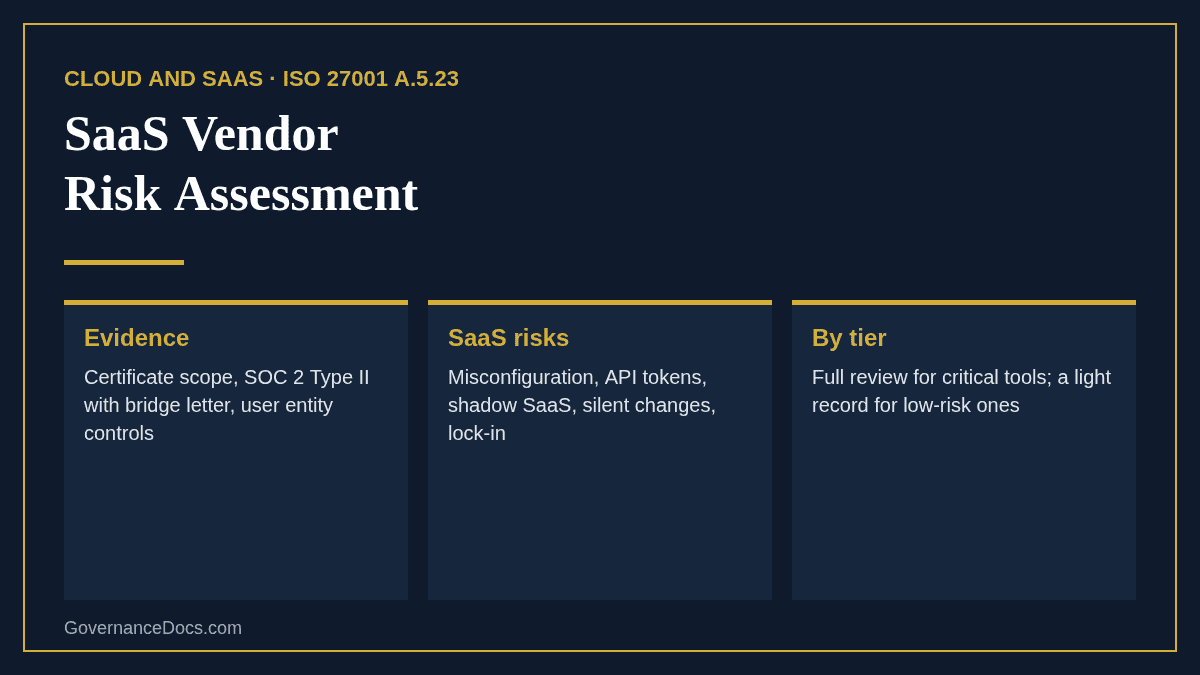
With SaaS, security is shared. The vendor secures the platform; you remain responsible for who you let in, how you configure it and what data you put in it. That split is where most SaaS incidents happen: an open sharing setting, an API token that never expires, a former employee who still has access. ISO/IEC 27001:2022 recognises this with a dedicated control, A.5.23, on information security for the use of cloud services, alongside the supplier controls A.5.19 to A.5.22.
| Area | What to check | Evidence |
|---|---|---|
| Assurance | Independent assurance that covers the product you use, not just the company | ISO/IEC 27001 certificate and its scope; SOC 2 Type II report; bridge letter for the gap since the report period |
| Cloud controls | Controls specific to cloud and to personal data in the cloud | ISO/IEC 27017 and 27018 certificates, or the CSA CAIQ |
| Tenant isolation | How your data is separated from other customers’ | Architecture summary; penetration test covering cross-tenant access |
| Identity | Single sign-on, MFA enforcement, automated provisioning and removal | SSO and SCIM support in your plan tier |
| Data | Encryption, data location, backups, customer-managed keys | Data processing agreement; hosting regions in the contract |
| Sub-processors | Who else processes your data and where | Published sub-processor list and change notice |
| Logging | Audit logs you can see and export | Log retention and export options |
| Change | How product changes that affect security are announced | Release notes and change notice terms |
| AI features | Whether your data is used to train models | Terms and admin settings for AI features |
| Exit | Export of all your data in a usable format, and deletion afterwards | Export tools; deletion terms and certificate |
A SOC 2 Type II report is the most common evidence a SaaS vendor offers, and the most often skimmed. Check four things: the system description covers the product you buy; the period is recent, with a bridge letter for the months since; the exceptions and the vendor’s responses; and the complementary user entity controls, the list of things the vendor assumes you do. Those user controls are your half of the shared responsibility, and they belong in your own control set.
Beyond the standard security questionnaire, these questions get to the SaaS-specific risks quickly:
Ask for evidence, not only answers. A screenshot of the admin setting, the sub-processor page or the recovery test report settles most questions faster than a paragraph of assurances.
Not every SaaS tool needs the full treatment. Tier each one by the data it holds, the access it has and what depends on it:
| Tier | Typical SaaS | Depth |
|---|---|---|
| Critical | Core platform, payroll, CRM with customer data | Full evidence review, contract terms, exit plan, yearly reassessment |
| High | Collaboration tools, HR systems, analytics on personal data | SOC 2 or ISO review, DPA, SSO, reassess every two years |
| Moderate | Tools with limited internal data | Short questionnaire, standard terms, SSO where available |
| Low | No company data, no integration | Record and approve |
A SaaS vendor risk assessment at purchase is only the start. NIST CSF 2.0 GV.SC-07 expects supplier risks to be monitored over the relationship. For SaaS, that means reviewing new SOC 2 reports each year, watching sub-processor changes, checking admin settings against a baseline, reviewing who has access, and reassessing when the vendor is acquired or its product changes materially.
It is strong evidence, but not the whole assessment. You still need to check scope, exceptions, your own user controls, the contract terms and how you configure the tool.
Use a detailed questionnaire such as the CSA CAIQ, ask for a recent penetration test summary, and limit the data and access you give until the evidence improves.
Yes, if they hold company data. Cost does not measure risk; the data and access do.
Run a SaaS vendor risk assessment with our free third-party risk assessment template, which tiers the vendor, checks due diligence including cloud configuration and exit, and rates the risks. For questionnaires and contract clauses, see the vendor security questionnaire and the TPRM Toolkit; our third-party risk assessment example shows a critical cloud platform assessed end to end.

October 19, 2026
October 19, 2026
October 18, 2026
October 18, 2026
October 15, 2026

