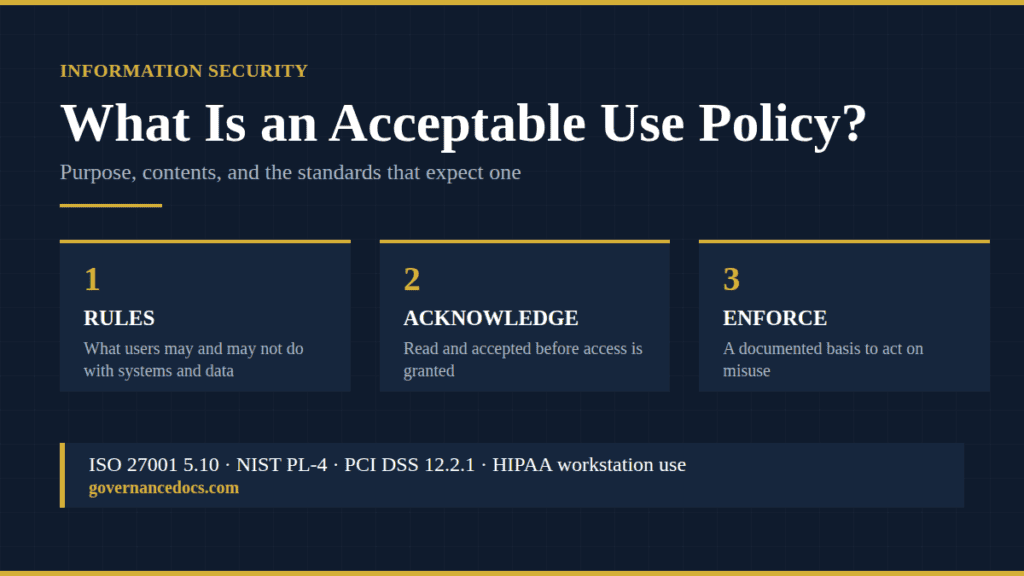
An acceptable use policy (AUP) is a set of rules that tells people what they may and may not do with an organization’s systems, networks, data and devices. Employers give one to staff and contractors, schools give one to students, and internet and cloud providers make customers accept one before they can use the service.
This guide explains what is an acceptable use policy in practice: what it is for, who needs one, what is in an acceptable use policy, which standards and laws ask for one, and how it differs from the policies it is often confused with. If you need the document itself, our acceptable use policy template guide walks through it section by section with example wording.
What is an acceptable use policy?
At its simplest, an acceptable use policy draws a line between permitted and prohibited use of technology the organization owns or controls. It covers the obvious, such as no illegal downloads and no sharing passwords, and the less obvious, such as whether staff may paste customer data into a public AI chatbot.
Three things make an AUP different from most other policies:
It is written for every user, not specialists. An access control or backup policy is read by IT. An AUP is read by everyone who logs in, so it has to be short and plain.
It is acknowledged. Users are normally asked to confirm they have read it before they get access, and again when it changes.
It sets out consequences. It links the rules to disciplinary action, contract termination or account suspension, which gives the organization a documented basis to act.
Other names for the same document include “IT acceptable use policy”, “computer use policy”, “internet and email use policy” and, in US federal systems, “rules of behavior”.
What is the purpose of an acceptable use policy?
The purpose of an acceptable use policy is to reduce risk from the people who use your systems, most of whom mean no harm but don’t know where the lines are. A good AUP does four jobs:
Sets expectations. Users know what is allowed before they make a mistake, not after.
Protects information. Rules on classification, email, removable media and cloud services reduce the chance of data leaking.
Discloses monitoring. If you log or inspect use of company systems, the AUP is where users are told so. Whether monitoring is lawful depends on your jurisdiction; in the EU and UK, our guide to employee monitoring under legitimate interests covers the tests.
Supports enforcement. When someone breaks the rules, a signed policy shows they were told.
Who needs an acceptable use policy?
Almost any organization that gives people access to its technology. In practice, these groups use one most often:
Organization
Who signs it
Typical focus
Employers of any size
Employees, contractors, temps
Email, internet, devices, data handling, AI tools
Schools and colleges
Students, often parents too
Safe internet use, cyberbullying, personal devices
Libraries
Public computer users
Lawful use, filtering, session limits
Internet, hosting and cloud providers
Customers
Spam, abuse, illegal content, attacks on other networks
SaaS products and online communities
Account holders
Prohibited content, misuse of the platform
The provider version is public and customer-facing. Amazon Web Services’ acceptable use policy is a well-known example: it lists what customers may not do with AWS services, and breaking it can lead to suspension. The rest of this guide focuses on the internal version an organization gives its own people.
What is in an acceptable use policy?
Contents vary with the organization, but most internal policies cover the same core sections. Use this as a checklist when you review what is in an acceptable use policy you already have.
Section
What it covers
Purpose and scope
Which users, systems, devices and locations the policy applies to
General principles
Systems are provided for business use; limited personal use, if allowed, and its limits
Accounts and passwords
No sharing credentials, MFA use, locking screens, reporting compromised accounts
Email and messaging
Business use, phishing caution, no auto-forwarding to personal accounts
Internet use
Prohibited sites and content, downloads, unapproved cloud services
Data handling
Classification, sharing, storage and transfer rules
Devices and removable media
Company laptops, personal devices (BYOD), USB drives, travel
AI and new tools
Which AI tools are approved and what data may never be entered into them
Software
Only approved software; no unlicensed or pirated copies
Monitoring and privacy
What is logged or inspected, and why
Reporting
How to report incidents, lost devices and suspected breaches
Enforcement
Consequences of breaches and how they are handled
Acknowledgement
Confirmation the user has read and agrees to follow it
Two sections now cause the most audit findings and staff questions: personal devices and AI tools. If staff use their own phones for work email, the AUP should point to a separate BYOD policy rather than try to cover it in two lines.
Which standards and laws ask for an acceptable use policy?
No single law requires every organization to have an acceptable use policy. But most security frameworks expect one, under one name or another.
Framework or law
Where it appears
What it expects
ISO/IEC 27001:2022
Annex A control 5.10
Rules for acceptable use, and procedures for handling information and associated assets, identified, documented and implemented
NIST SP 800-53 Rev. 5
PL-4 Rules of Behavior
Rules provided to users, documented acknowledgment before access, periodic review, re-acknowledgment after changes
PCI DSS v4.0.1
Requirement 12.2.1
Acceptable use policies for end-user technologies, including explicit approval, acceptable uses and a list of approved products
HIPAA Security Rule
45 CFR 164.310(b), workstation use
Policies on the proper functions and use of workstations that access ePHI
CIPA (US schools and libraries)
E-rate certification
An internet safety policy, which many schools put into practice through a student AUP
The NIST SP 800-53 Rev. 5 wording is the most specific about acknowledgment: users must acknowledge the rules before they are given access, and re-acknowledge when the rules change. ISO 27001 does not require a signature, but auditors will still ask how users were made aware of the rules.
Acceptable use policy vs other IT policies
An acceptable use policy is often confused with documents that sit next to it. The difference is mostly about who the reader is.
Document
Main reader
What it does
Acceptable use policy
Every user
Rules for how individuals use systems and data
Information security policy
Management, all staff
Top-level commitment and objectives for security
BYOD policy
Staff using personal devices
Conditions for using personal devices for work
Access control policy
IT and system owners
How access is granted, reviewed and removed
Terms of service
Customers
Contract for using a product, often with an AUP attached
The information security policy sits above the AUP and sets the direction. The AUP turns that direction into day-to-day rules for users. For the wider set of documents an IT team usually maintains, see our list of IT policy templates.
How to make an acceptable use policy work
Keep it short. Aim for something a new starter reads in ten minutes. Move detailed procedures into separate documents and link to them.
Write rules, not principles. “Do not forward work email to personal accounts” is a rule. “Use email responsibly” is not.
Name approved tools. A list of approved AI tools, file-sharing services and messaging apps answers most questions before they are asked.
Get acknowledgement at onboarding. Tie it to account creation, and repeat it when the policy changes.
Review it at least once a year. New tools, especially AI, make an AUP go out of date quickly.
Train on it. A policy nobody has explained is hard to enforce fairly.
Acceptable use policy FAQ
Is an acceptable use policy legally binding?
For employees, it is usually enforced through the employment relationship and disciplinary procedures, rather than as a separate contract. For customers, an AUP is normally incorporated into the terms of service, so breaking it can breach the contract. How enforceable it is depends on your jurisdiction, so take legal advice for anything contentious.
Do employees have to sign an acceptable use policy?
It depends on the framework. NIST SP 800-53 PL-4 requires a documented acknowledgment before access. ISO 27001 does not require a signature, but you must be able to show users know the rules. Most organizations collect an electronic acknowledgment either way.
How long should an acceptable use policy be?
Most effective internal AUPs run two to five pages. If yours is much longer, it probably contains procedures that belong in separate documents.
Does an acceptable use policy cover AI tools?
It should. Staff are already using generative AI, so the AUP should say which tools are approved and what data may never be entered into them. Our acceptable use policy template includes an AI section you can adapt.
How often should an acceptable use policy be reviewed?
At least annually, and whenever you adopt a major new technology or a significant incident shows a gap. NIST PL-4 leaves the review frequency to the organization; ISO 27001 expects policies to be reviewed at planned intervals.
Our ISO 27001 Toolkit provides 165 editable templates mapped to the 2022 Annex A controls — including the Acceptable Use Policy, the BYOD Policy and the Remote Working Policy — for $99.
When a standard changes, know first
One email a month: edition changes, new deadlines, and what they mean for documentation you already have. No sales sequence.