ISO 13485 software validation is the requirement to show that software used in your quality system, production or measurement does what you need it to do for its intended use. Three clauses drive it, and the effort should always be proportionate to risk.
This guide explains clauses 4.1.6, 7.5.6 and 7.6, how to build a risk-based approach, what records to keep and how the FDA guidance on computer software assurance fits. It also helps teams avoid validating more than they need to.
Free gap assessment
How much of ISO 13485 could you evidence today?
Score clauses 4 to 8, free, with the FDA QMSR and EU MDR duties kept separate so you can see what is the standard and what is the regulator.
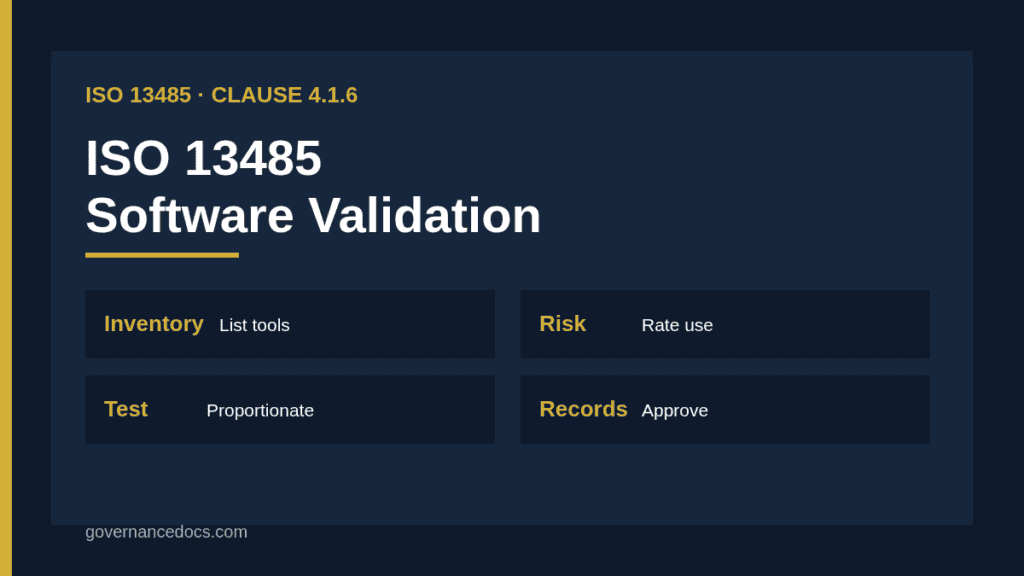
Clause 4.1.6 requires documented procedures for validating the application of computer software used in the QMS. Clause 7.5.6 covers software used in production and service provision processes, and clause 7.6 covers software used in monitoring and measurement of requirements.
These clauses are about software you use, not the software inside your device. Device software is covered through design controls and standards such as IEC 62304.
The software must be validated prior to initial use and, as appropriate, after changes to the software or its application. The approach and activities must be proportionate to the risk associated with its use.
Records of validation and conclusions must be maintained. You also need to consider the effect on the ability to meet regulatory requirements and on device safety and performance.
The words proportionate to risk are the key. They give you permission to scale effort.
Building a software inventory
Start by listing every tool that supports quality or production. Examples are document control systems, CAPA trackers, ERP, spreadsheets with calculations, test equipment software and automated inspection tools.
Record the purpose, owner, vendor, version and where it affects product or records. The inventory becomes the base for risk ratings.
Do not forget spreadsheets. A formula that calculates acceptance results is software used for measurement and needs control. Keep this in mind for every ISO 13485 software validation.
Rating risk for ISO 13485 software validation
Rate each tool by how a failure could affect product safety, product quality or regulatory compliance. A simple three-level scale of high, medium and low works well.
A tool that releases batches or calculates sterilization parameters is high. A tool that stores training records is usually lower, though data integrity still matters.
Document the rating logic. Auditors accept different approaches, but they expect reasoning, not assertions.
Scaling validation effort
High-risk software needs structured validation with requirements, tests with expected results, a record of execution and an approval. Medium risk may rely on vendor evidence plus targeted testing. Low risk may need only a documented intended use and a check that it works.
Always define intended use first. Validation without a clear statement of what the tool must do has nothing to be measured against.
Keep the plan short. The goal is evidence of fitness for use, not a long document. This is where a ISO 13485 software validation is won or lost.
Using vendor documentation
Vendor testing and certificates can support your validation, but they do not replace it. You still need to show that the tool works for your use in your environment.
Review vendor release notes, known issues and security updates. Reference them in your validation record and conclude whether they are sufficient for your risk level.
For cloud tools, record how changes by the vendor are monitored, because you do not control the release schedule.
Clause
Software in scope
Typical evidence
4.1.6
Software used in the QMS
Procedure, inventory, validation records
7.5.6
Production and service software
Process validation records
7.6
Monitoring and measurement software
Confirmation before initial use
Risk scale
High, medium, low
Documented rating logic
Changes
Upgrades and new uses
Impact assessment, retest record
The FDA computer software assurance approach
The FDA issued a final guidance on computer software assurance for production and quality system software in September 2025. It encourages risk-based assurance, with critical thinking and less documentation where risk is low.
This aligns well with the proportionality in clause 4.1.6. Companies selling in the US can use it to justify lighter evidence for lower-risk tools.
Treat it as guidance, not a replacement for the standard. Check the current text on the FDA website before you apply it. Auditors judge your ISO 13485 software validation on exactly this point.
Records to keep
For each validated tool, keep the intended use, risk rating, validation plan, test cases and results, deviations, conclusion and approval. Store the version validated.
Add a periodic review or change record so you can show the system remains in a validated state. This might be annual for high-risk tools.
Link records to the software inventory so an auditor can find everything from one list.
Change control and revalidation
Changes to software or to its application can invalidate earlier results. Define what triggers revalidation: version upgrades, new configuration, new intended use or changes to the underlying platform.
Assess each change for risk and decide whether to retest, partially retest or document a rationale for no retest. Keep the assessment.
A short change impact form linked to your document control system is usually enough. Treat it as a standing rule for your ISO 13485 software validation.
Spreadsheets and low-code tools
Spreadsheets used for calculations should be locked, version controlled and verified against independent calculations before use. Document the formulas and protect cells.
Low-code tools and macros count as software. Treat them like any other tool, with intended use, risk rating and testing proportional to the effect of failure.
Many findings come from forgotten spreadsheets, so include them in the inventory.
Common mistakes in ISO 13485 software validation
Typical mistakes are validating everything to the same depth, skipping the intended use statement, relying only on vendor certificates and failing to revalidate after upgrades.
Another is never completing the inventory. An auditor who finds an unlisted critical tool will question the whole process.
The remedy is a short, living procedure and a visible inventory, kept current by the owners.
Linking to production and process validation
Production software, such as machine controllers or inspection systems, is validated as part of process validation under clause 7.5.6. See process validation for the full approach.
Document the link so the same evidence is not created twice. Equipment qualification records often cover the software controls.
For measurement software, include verification in your calibration or confirmation records under clause 7.6.
How this relates to device software
Software built into your device follows design controls and lifecycle standards, which are a different topic from tool validation.
The distinction matters because the same tool might be used for both, such as a test automation system. Validate it for its quality system use.
The FDA Quality Management System Regulation took effect on 2 February 2026 and incorporates ISO 13485:2016, so clause 4.1.6 now supports US compliance as well. The FDA QMSR overview gives context.
Under EU MDR, software validation supports your quality system but is not described in the same detail. Notified bodies still ask for evidence.
One validation record set can serve both markets if it is clear and traceable.
Templates and next steps
A software validation procedure, inventory, risk rating form and test record cover most needs. The ISO 13485 Toolkit includes templates you can tailor to your tools.
Start with the three or four most critical systems and extend from there. The gap analysis will show how much work remains.
Review the process as part of your internal audits to confirm it is applied.
Data integrity and access control
Validation also covers whether records stay trustworthy. Check user roles, audit trails, backup and restore, electronic signatures where used and protection against unauthorized change.
Where regulations require specific controls over electronic records, make sure the tool supports them. Test them as part of the validation, not as a separate project.
Poor access control is a common finding in the internal audit of document and record systems.
Example: validating a CAPA tracker
State the intended use: record, route and track corrective actions with due dates and approvals. Rate the risk as medium, because failure could hide overdue actions but would not directly affect product.
Test routing, approval, notification, closure and report functions with sample records, and confirm that exports are complete. Document results and approve.
Link the tool to your CAPA procedure so the validated use matches the real use. That alignment is what auditors check.
ISO 13485 software validation FAQ
Do I need to validate Microsoft Excel?
If you use it for calculations or records that affect quality or product, yes, in proportion to risk. Lock formulas and verify results before use.
Can I rely on vendor validation?
It can support your evidence, but you remain responsible for showing the tool is fit for your intended use.
Is IEC 62304 the same as software validation under ISO 13485?
No. IEC 62304 covers software in your device. Clause 4.1.6 covers software you use to run your quality system.
How often should I revalidate?
When the software or its application changes, and as your procedure defines for periodic review. There is no fixed interval in the standard.