KRI thresholds are the limits that turn a key risk indicator from a number on a dashboard into a signal someone must act on. A key risk indicator that reports 12 unpatched critical vulnerabilities means nothing until the organization has decided whether 12 is acceptable, worrying or unacceptable. Setting KRI thresholds well means translating leadership’s risk appetite into measurable amber and red limits, and tying each breach to a named owner and an escalation path.
This guide explains how to set KRI thresholds for IT and cybersecurity indicators, which methods work, how to avoid the common failures, and how to keep the limits alive as the business and threats change. It builds on the ideas in our guides to KRI reporting and cybersecurity KRIs versus KPIs.
Why KRI thresholds start with risk appetite
A threshold is a decision about how much risk is acceptable, and that decision belongs to leadership, not to the security analyst who builds the report. NIST Cybersecurity Framework 2.0 makes the same link. Its Govern function includes a subcategory, GV.RM-02, on establishing, communicating and maintaining risk appetite and risk tolerance statements. The NIST implementation examples suggest defining risk appetite statements and translating them into specific, quantifiable and understandable tolerance thresholds across business units, and refining them periodically. Its oversight category also covers monitoring performance and risk indicators and communicating cybersecurity metrics to leadership. You can read the details in the NIST CSF 2.0 Implementation Examples.
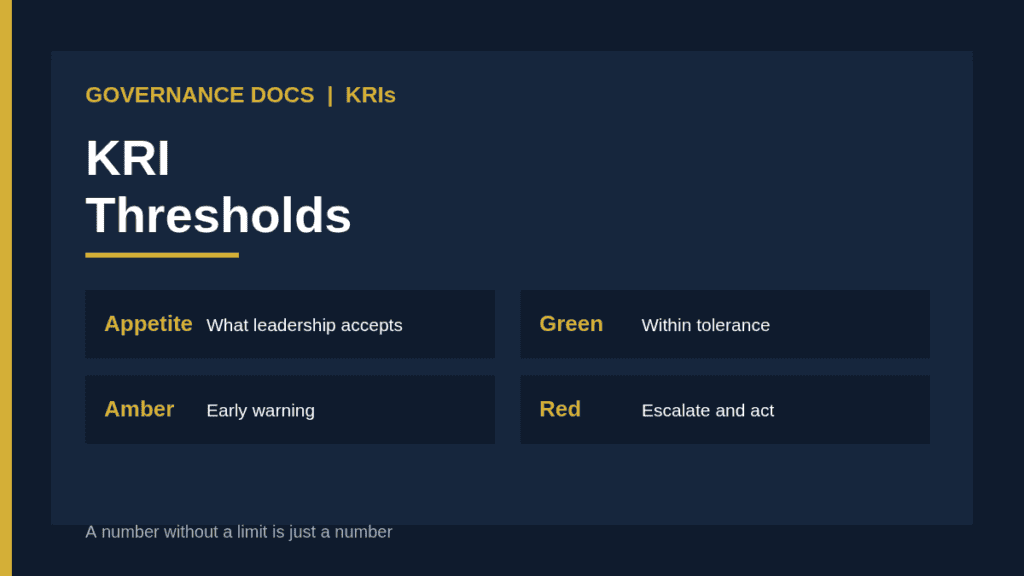
The chain therefore runs from appetite (a statement of how much risk leadership accepts), to tolerance (the measurable limits around it), to KRI thresholds (the trigger points for specific indicators). If the top of the chain is missing, thresholds become guesses. Our guide to risk appetite explains how to write the statement.
Level
What it says
Example
Risk appetite
Broad statement of acceptable risk
Low appetite for exposure of critical systems to known exploited vulnerabilities
Risk tolerance
Measurable boundary
Internet-facing critical vulnerabilities patched within an agreed time
KRI threshold
Trigger for a specific indicator
Amber above 2 open, red above 5 or any older than the agreed limit
The anatomy of a good threshold
Each indicator needs more than one number. A workable threshold set includes the following.
Green range. Within tolerance. No action beyond normal monitoring.
Amber trigger. An early warning, set before the tolerance is breached, so there is time to act.
Red trigger. Tolerance breached or about to be. Escalation is required.
Direction and measure. Whether higher is worse, and exactly how the value is calculated.
Frequency. How often the indicator is measured, and how quickly a breach must be reported.
Owner and response. Who is accountable and what they must do at each level.
Evidence. The data source that proves the value, so the number can be trusted.
The template of 153 IT and cybersecurity indicators in our toolkit uses fields of this kind: domain, title, reporting frequency, calculation formula, suggested thresholds, evidence requirement and owner. Whatever set you use, treat suggested thresholds as starting points and adjust them to your own risk appetite and environment.
Methods for setting KRI thresholds
1. Appetite-first, top down
Begin with the risk appetite statement and ask what measurable level of each indicator would be consistent with it. This is the strongest method because it ties limits to leadership’s decisions, but it needs a real appetite statement to start from.
2. Historical baseline
Look at past data for the indicator over 6 to 12 months. Set amber around the upper end of normal variation and red where the value has previously meant real trouble. This suits indicators where history is meaningful, such as phishing click rates or incident volumes, but it can lock in a poor baseline if things were already bad.
3. Regulatory and contractual limits
Some limits come from outside: a required notification window, a service level, a customer commitment. Set red at or before the external limit, with amber early enough to intervene. Never set a threshold that would only trigger after you have already breached your obligation.
4. Benchmarks and peers
Industry data can inform reasonable ranges, but differences in size, sector and data quality make it a weak basis on its own. Use it as a cross-check.
5. Scenario-based
Ask what value of the indicator would change the likelihood or impact of a scenario in your risk register enough to worry leadership. It ties the indicator to a real loss story, which helps in board discussion.
A worked example
The following is a hypothetical illustration. A company’s board states a low appetite for compromise of customer data through unpatched internet-facing systems. The security team selects the indicator “internet-facing systems with critical vulnerabilities older than the agreed patch window.” Historical data shows a typical range of 0 to 3. The team proposes green at 0, amber at 1 to 2, and red at 3 or more, or any item older than twice the patch window. They agree that amber means the system owner must present a plan within five working days, and red means the chief information security officer informs the risk committee within one working day. Six months later, the count sits at 1 for three months. The committee asks whether the threshold is right, and decides to keep green at 0 but tighten the response for a single old item. The limits, the reasoning and the change are recorded.
Linking thresholds to escalation
A threshold with no consequence is decoration. For each indicator write the action at amber and at red: who is told, in what time, and what decision is required. Amber should trigger an action by the owner, such as investigating and reporting back. Red should trigger senior attention and a decision, such as accepting the risk formally, funding a fix or changing a plan. Include a rule for how long an indicator can stay at amber before it becomes red, since chronic amber often hides a problem people have stopped noticing.
Presenting breaches to the board
When a red indicator reaches the board, give directors the context they need in a few lines: what the indicator measures, the limit and the current value, how long it has been outside tolerance, the cause, the plan and date to return to green, and the decision being requested. A simple trend chart over the last several periods is worth more than a table of numbers, because it shows whether the situation is improving or getting worse.
Common KRI threshold mistakes
Thresholds copied from a template without review. Suggested numbers rarely fit your environment.
Limits that no one approved. If leadership never accepted them, breaches are ignored.
No amber. Only a red limit means that the first signal arrives when the damage has begun.
Too many indicators. Dozens of red lights lead to fatigue. Focus on the few that track the top risks.
Unreliable data. A precise threshold on a number nobody trusts gives false comfort.
Static limits. Thresholds unchanged for years while the business, technology and threats have moved.
Gaming. Owners nudging the measure to stay green, for example by redefining what counts.
Keeping thresholds current
Review each threshold at least once a year and whenever something material changes: a new system, an incident, a regulation, a change in appetite. Record the reason for every change with the approver and date, so trends can be interpreted correctly. Check breach patterns too: an indicator that is never amber may be set too loosely, while one that is always red may be set too tightly, or may be pointing to a real structural problem. Connect the review to your cybersecurity metrics program so that KRIs and performance measures tell a consistent story, and use response-time measures like those in our note on MTTD versus MTTR carefully, since averages can hide long tails.
Documenting your KRI program
A defensible program has an appetite statement, an indicator catalog with owners and formulas, a threshold register with approvals, an escalation procedure, reporting templates and a review calendar. The Critical IT and Cybersecurity Indicators workbook provides 153 key risk indicators with fields for formulas, suggested thresholds and evidence that you can adapt to your organization. Choose a manageable subset first, agree the thresholds with leadership, and expand as data quality improves.
KRI thresholds FAQ
Who should approve KRI thresholds?
Senior leadership or the risk committee, because the thresholds express the organization’s appetite for risk. Security and risk teams propose them.
How many levels should a threshold have?
Most programs use three: green, amber and red. Some add a fourth level for critical breaches, but more levels make the response harder to remember.
Should thresholds be the same for every business unit?
Not always. Enterprise limits can be tightened for units that handle more sensitive data or critical services. Document any differences and the reasons.
How often should KRI thresholds be reviewed?
At least annually, and after major changes or incidents. Review breach patterns to check whether the limits are set at the right level.
Are suggested thresholds in templates safe to use as they are?
Treat them as a starting point. Adjust them to your risk appetite, data quality and environment before approval.