A CAIQ security questionnaire answer library turns one completed Consensus Assessments Initiative Questionnaire into the source for every customer questionnaire you receive afterwards. Cloud providers typically answer the same questions dozens of times a year, in a different spreadsheet each time, and each answer drifts a little from the last. A single, maintained library ends that.
This guide explains how to build the library from your CSA STAR Level 1 submission, how to keep it consistent with your evidence, how to handle the move to the latest question set, and where it stops being enough. For the programme itself, see our STAR Level 1 guide.
Why a CAIQ security questionnaire is a good starting point
The CAIQ is the questionnaire the Cloud Security Alliance publishes to assess a provider against its Cloud Controls Matrix. STAR Level 1 is a self-assessment in which you complete the CAIQ and publish it to the public STAR Registry. The Alliance says publishing this way helps reduce the need to fill in multiple customer questionnaires, and the self-assessment itself is free of charge.
The CAIQ works as a base because it is structured around a control framework, not around one customer’s worries. Most bespoke questionnaires ask about the same subjects: access control, encryption, logging, incident response, business continuity, supplier management, change management and data lifecycle. If your CAIQ answers are accurate and well evidenced, most rows in a customer’s spreadsheet can be answered by mapping them to a CAIQ question and reusing the answer.
Building a CAIQ security questionnaire answer library
Start from your submitted CAIQ. Each answer is a yes, no or not-applicable response with an explanation. Keep the explanation text, because reviewers want to read why.
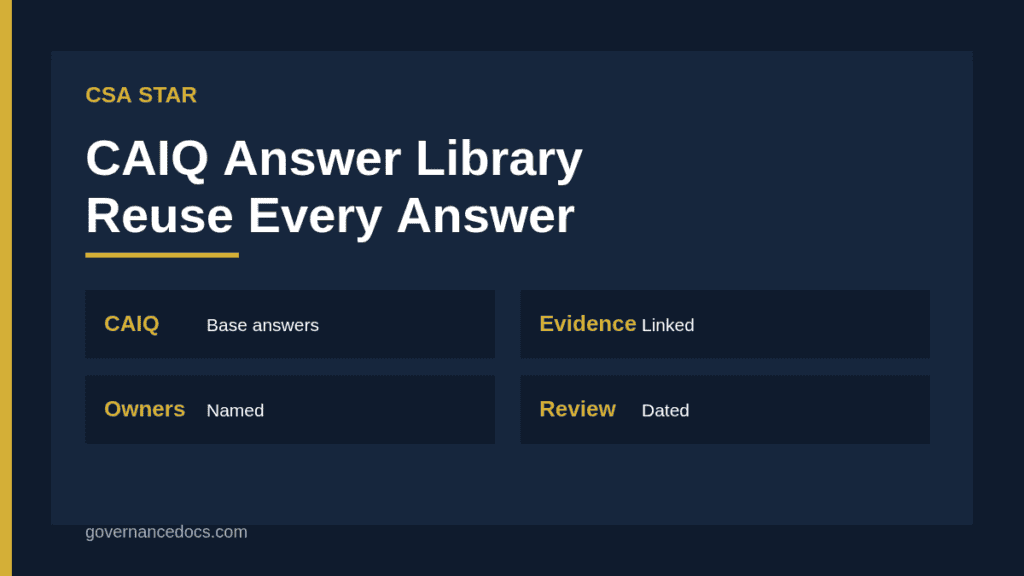
Add a control owner. Every row needs a named person who can confirm the answer is still true.
Link evidence. Attach or reference the policy, the screenshot, the report or the certificate that supports the answer.
Add a review date. Show when the answer was last confirmed, and set a re-check interval.
Tag by topic and framework. Tag rows with the domain and with any related ISO 27001, SOC 2 or customer-specific references.
Record approved wording. Store the approved short answer and a longer answer for the customers who ask for detail.
Define limits. Mark which answers can be given without review and which need security or legal sign-off.
Field
Purpose
CAIQ question ID and text
Anchor for the answer
Answer and explanation
The approved response
Evidence link
Proof that supports it
Owner and review date
Accountability and freshness
Tags
Mapping to other frameworks and topics
Sign-off flag
Whether the answer needs approval before use
Keeping the CAIQ security questionnaire library honest
The biggest risk of any answer library is that it becomes a marketing document. A sales team under pressure will be tempted to answer “yes” wherever a customer expects it. Treat each answer as a statement your company may be held to, because customers sometimes copy questionnaire answers into contracts and audits check them against reality. Where a control is partial, say so in the explanation. Where it is not applicable, explain why. A cautious, accurate answer costs you nothing, while an overstated one can breach a contract clause or damage trust when a customer’s auditor tests it.
Tie answers to evidence, not to memory
Every yes should be traceable to a document or system record. Run a quarterly sample: pick ten rows, check the evidence and the owner’s confirmation, and correct anything that has drifted. Whenever you change a control, such as moving identity providers or changing your logging tool, search the library for the affected rows and update them the same week.
Handling new versions of the CAIQ
The Cloud Controls Matrix and the CAIQ are versioned. According to a third-party summary, version 4.1 of the matrix has 207 controls in 17 domains and the questionnaire has 283 questions, released in January 2026, with a period during which the registry accepts both the older and newer versions. Confirm the current dates on the CSA site, since transition windows can change. For your library, the practical step is to remap the rows keyed to the earlier version onto the new question set during the overlap, rather than leaving that work to the last month. Our Cloud Controls Matrix guide covers the changes in more detail.
Using the CAIQ security questionnaire with customers
Offer the published CAIQ first. Many procurement teams will accept a link to your STAR Registry entry, or a copy of the questionnaire, in place of their own, especially if the answers are recent. If a customer insists on their own format, use the library to fill it, and reply with the mapping so they can see the same answers underneath. Where the customer’s question has no equivalent in the CAIQ, write a new answer, get it approved, and add it to the library with the customer’s wording as a tag.
Keep the sales process honest about limits. A self-assessment is not an audit, and customers with higher risk or regulatory duties may want third-party assurance. That is what STAR Level 2 provides, using an independent audit such as SOC 2 or ISO 27001, as explained in our STAR Level 2 guide. See also the STAR Registry guide for how buyers search it.
Roles and workflow
Assign one person to run the library, usually in security, compliance or a customer trust team. Control owners in engineering, IT, HR and legal confirm the rows in their areas. Sales and customer success submit questionnaires through a single intake, not by emailing individual engineers, and the library owner triages each one, answers what the library covers, and routes the remainder. Track turnaround time and the share of answers reused, so you can show the value of the effort and find the subjects where your library is thin.
Metrics worth tracking
Useful measures include the number of questionnaires handled each quarter, the average time to respond, the percentage of rows answered from existing content, the number of answers past their review date, and the number of corrections made after a customer challenge. If corrections rise, your evidence links are probably weak. If reuse is low, the tagging or the wording needs work. Report these to the person responsible for security or compliance once a quarter, and use them to decide where to invest next in your CAIQ security questionnaire content.
A hypothetical example
A SaaS company receives a 180-question spreadsheet from a retail customer. Its security analyst maps 140 rows to CAIQ questions and answers them from the library in an afternoon. Twenty-five rows are about the customer’s own contract terms and go to legal. Fifteen ask about controls the library does not cover, such as a specific retention period. The analyst drafts those answers, has the control owners confirm them, and adds them to the library. The next questionnaire from a different customer reuses most of them. The example is illustrative only.
Handling sensitive and customer-specific questions
Not every question belongs in a shared library. Requests for penetration test reports, architecture diagrams, named subprocessors or detailed incident history usually need a confidentiality agreement first. Decide in advance what you release freely, what you release under a non-disclosure agreement and what you never release, then record that as a rule in the library. For customer-specific commitments, such as a particular data residency promise or a contractual notification period, keep the answer tied to the contract and not to the general library, since it applies to one customer only. A short escalation route to legal and security prevents an engineer answering a sensitive question under time pressure.
Common mistakes with a CAIQ security questionnaire library
No owners. Nobody is accountable when an answer becomes false.
No evidence links. Answers rest on someone’s memory.
Inconsistent wording. Different customers receive contradictory answers to the same question.
Stale rows. The library still describes a tool that was retired a year ago.
Sales-owned. The library is edited by people who do not run the controls.
Treated as assurance. A self-assessment is presented as if it were an audit.
Tools for a CAIQ security questionnaire library
The pieces are a completed CAIQ, a policy and evidence set, a mapping table, a review schedule and an approval workflow. The CSA STAR Toolkit includes templates for the CAIQ, the supporting policies and the evidence register, which you can adapt to your service. The Alliance describes the self-assessment on its STAR programme page, and it should be your first stop for current versions and dates.
CAIQ security questionnaire FAQ
What is the CAIQ?
The Consensus Assessments Initiative Questionnaire is the Cloud Security Alliance’s questionnaire, aligned to the Cloud Controls Matrix, that providers complete for a STAR Level 1 self-assessment.
Does the CAIQ replace customer questionnaires?
Often it reduces them. Many customers accept a published CAIQ, but some will still send their own, and the answer library lets you respond quickly.
Is a completed CAIQ an audit?
No. It is a self-assessment. Third-party assurance comes from STAR Level 2, which relies on an independent audit.
How often should the answers be reviewed?
At least annually, when a control changes, and when a new version of the questionnaire is adopted.