

HIPAA Compliant Email: The Essential 2026 Guide and Checklist
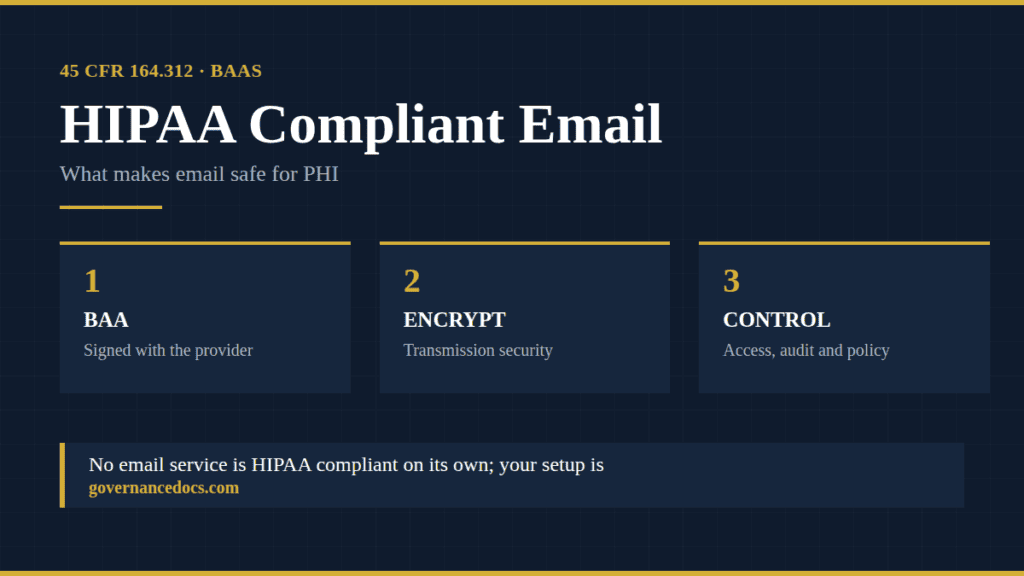
HIPAA compliant email is not a product you buy. It is an email service, configured and used in a way that meets the HIPAA Security Rule, covered by a business associate agreement (BAA), and backed by your own policies and training.
No government body certifies email as HIPAA compliant, and no vendor badge does it for you. This guide shows what the rules actually require, how to judge a provider, and how to handle the common case of patients who want records by email.
Free gap assessment
Could you evidence your HIPAA safeguards today?
Score every standard and implementation specification, free, including the addressable ones that still need a decision on file.
Run the free HIPAA gap assessment → or View premium report sample
What makes email HIPAA compliant
Email that carries electronic protected health information (ePHI) has to meet the same Security Rule standards as any other system. The table maps each requirement to what it means in your mailbox.
| Requirement | Where it comes from | What it means for email |
|---|---|---|
| Access control | 45 CFR 164.312(a) | Unique user accounts, emergency access, automatic logoff, encryption where appropriate |
| Audit controls | 164.312(b) | Logs that record and let you examine mailbox and admin activity |
| Integrity | 164.312(c) | Protection against messages being altered or destroyed improperly |
| Authentication | 164.312(d) | Proof that the person logging in is who they claim to be |
| Transmission security | 164.312(e) | Measures against interception, including encryption whenever appropriate |
| BAA with the provider | 164.308(b), 164.314(a), 164.502(e) | A signed agreement before ePHI goes into the service |
| Privacy safeguards | 164.530(c) | Reasonable steps against misdirected or excessive disclosures |
| Workforce training | 164.308(a)(5), 164.530(b) | Staff know what can and cannot go by email |
The Security Rule safeguards behind HIPAA compliant email
The technical safeguards in 45 CFR 164.312 are the core of HIPAA compliant email. They sit inside the wider set of administrative, physical and technical HIPAA safeguards your risk analysis has to cover.
Access control
Every user needs a unique name or number; shared mailboxes need named individual access behind them. Unique user identification and an emergency access procedure are Required. Automatic logoff and encryption and decryption are Addressable.
Audit controls and integrity
You must have mechanisms that record and examine activity in systems containing ePHI. For email, that means sign-in logs, admin audit logs and message trace, kept long enough to investigate an incident.
The integrity standard requires policies against improper alteration or destruction. Retention settings and litigation holds help you show that messages were not silently deleted.
Person or entity authentication
You must verify that a person seeking access is the one claimed. The rule does not name a method. Multifactor authentication is the usual way to meet it for cloud email, and your risk analysis should say why your choice is reasonable.
Transmission security
You must guard against unauthorized access to ePHI sent over a network. The two implementation specifications, integrity controls and encryption, are both Addressable.
Free ISO 27001 risk assessment
Which of your risks sit above your appetite line?
Set your own risk criteria, pick from 61 information security risk scenarios, rate likelihood and impact, and decide how to treat each one. You get a heat map, a process score and the findings an auditor would raise, free.
Run the free risk assessment → or View premium report sample
HIPAA email encryption: addressable does not mean optional
This is the most misread point in HIPAA email encryption. An Addressable specification must be assessed under 164.306(d)(3). If it is reasonable and appropriate, you implement it. If not, you document why and implement an equivalent alternative where reasonable.
For most organizations, encrypting email that carries ePHI is reasonable and appropriate, so the analysis ends with “implement.” Two layers usually matter:
- Transport encryption (TLS) between mail servers, ideally enforced for partners who regularly receive PHI.
- Message-level encryption (a secure portal, S/MIME or the provider’s encrypted-message feature) for external recipients where TLS cannot be guaranteed.
Encryption also matters after an incident. PHI rendered unreadable using a method in HHS’s guidance is not “unsecured PHI” under 164.402, so its loss is not a reportable breach.
The HIPAA Security Rule proposed rule published on 6 January 2025 would remove the Addressable category and make encryption of ePHI generally mandatory. It is still only a proposal, not an enforceable rule. Our HIPAA Security Rule update guide tracks its status.
The BAA: no HIPAA compliant email without one
An email provider that stores or maintains your ePHI is a business associate. Under 164.308(b) and 164.314(a), you need satisfactory written assurances, a BAA, before the provider creates, receives, maintains or transmits ePHI for you.
A BAA does not make the service compliant on its own. Microsoft says this plainly on its own HIPAA page: using its services does not by itself achieve HIPAA compliance. Your configuration and your conduct still decide the outcome. Our HIPAA business associate agreement guide covers the clauses to check.
Is Gmail HIPAA compliant?
It depends on which Gmail you mean. Google lists Gmail among the Google Workspace services included in its BAA on its Google Cloud HIPAA compliance page. A Workspace administrator accepts the BAA in the Admin console, and Google states that customers who have not signed a BAA must not use PHI in Workspace.
A free personal @gmail.com account is a different matter. It has no Admin console, so there is no way to accept Google’s BAA for it. Do not use consumer Gmail for PHI.
Microsoft takes a similar route for its business services. Its HIPAA and HITECH compliance page says the Microsoft BAA is available by default through its Online Services Data Protection Addendum to customers that are covered entities or business associates. Exchange Online is listed as an in-scope service.
In both cases the BAA covers only the listed services. Third-party add-ons, plugins and connected apps need their own review.
Emailing patients: what HHS allows
HHS’s FAQ on email says covered providers may email patients about health issues and treatment, provided they apply reasonable safeguards under 164.530(c). The Privacy Rule does not prohibit unencrypted email for treatment-related communications. HHS suggests checking the address before sending and limiting the amount of information in an unencrypted message.
If a patient emails you first, HHS says you can assume email is acceptable to them unless they say otherwise. If you think they may not know the risks, alert them and let them decide.
Patients also have rights that push toward email. Under 164.522(b), a provider must accommodate reasonable requests for confidential communications by alternative means, such as email instead of a postcard.
Sending copies of records by unencrypted email
HHS access guidance goes further. An individual has a right to receive a copy of their PHI by unencrypted email if they ask for it that way. You must give a brief warning that there is some risk the information could be read by a third party in transit, and confirm they still want it. If they say yes, you must comply.
You are then not responsible for a disclosure in transit, provided you warned them and they accepted the risk. You still have to enter the address correctly. And you cannot force anyone to accept an unsecure channel to get their records.
A practical warning script:
- “Regular email is not encrypted and could be read by someone else while it travels.”
- “We can send your records through our secure portal instead.”
- “Do you still want them sent to [address] by regular email?”
- Record the answer, the date and the address in the request file.
What the 2026 HIPAA final rule changes for emailing records
HHS published a final Privacy Rule on 19 November 2026 at 91 FR 74848. It takes effect on 19 January 2027, and organizations must comply by 19 July 2027. You can read the full final rule text on GovInfo.
For email, three changes matter:
- The amended 164.524(c)(3) says access includes, at the individual’s request, electronically transmitting the copy, “including by email.”
- Access requests must be answered within 15 calendar days instead of 30, with one 30-day extension kept.
- The contact information in the Notice of Privacy Practices must include an email address.
Plan the 15-day clock now. If your email workflow for records needs manual steps, it will be the bottleneck.
Choosing HIPAA compliant email providers: a checklist
This is not a vendor ranking. Use these questions to test any of the HIPAA compliant email providers on your shortlist, and keep the answers with your risk analysis.
- Will the provider sign a BAA, and which of its services does it cover?
- Is the BAA available on the plan you are buying, and how is it accepted?
- Does it support TLS between servers and let you enforce TLS for chosen domains?
- Does it offer message-level encryption or a secure portal for external recipients?
- Can you require multifactor authentication for every user?
- Are sign-in, admin and message logs available, and for how long?
- Can you set retention, archiving and legal holds?
- Can you block automatic forwarding to outside addresses?
- Does it offer data loss prevention rules that flag PHI patterns?
- What does the BAA say about breach reporting to you, and about returning or deleting data at termination?
Policies, training and logging
Technology covers half of HIPAA compliant email. The other half is written rules and trained people. At a minimum, document:
- What PHI may be sent by email, to whom, and with what encryption.
- The patient warning and consent process for unencrypted email.
- A ban on forwarding work email to personal accounts.
- How misdirected emails are reported and assessed as possible breaches.
- Who reviews email audit logs, and how often.
Keep these policies and your risk analysis for six years, as 164.316(b)(2) requires for Security Rule documentation. Then train staff on them as part of your HIPAA training program, with examples of misaddressed emails and phishing.
For the wider program around email, see our complete HIPAA compliance guide.
HIPAA compliant email FAQ
Is encrypted email required by HIPAA?
Not in so many words today. Encryption is an Addressable specification, so you must implement it where reasonable and appropriate or document an equivalent alternative. The January 2025 proposal to make it mandatory has not been finalized.
Can I email PHI to a patient who asks for it?
Yes. Patients can request email, and HHS says they have a right to receive copies by unencrypted email after a brief risk warning. Record the warning and their confirmation.
Does a BAA make my email HIPAA compliant?
No. A BAA is required before a provider handles your ePHI, but compliance also depends on your settings, policies, training and how staff actually use email.
Is free Gmail HIPAA compliant?
No. A personal Gmail account cannot be covered by Google’s BAA, which is accepted through a Google Workspace Admin console. Use a business service whose BAA you have actually accepted.
Our HIPAA Toolkit provides 160+ editable templates for your HIPAA program — including an Email Security and Acceptable Use Policy, a HIPAA Compliant Encryption Policy and a HIPAA Business Associate Agreement — for $99.
When a standard changes, know first
One email a month: edition changes, new deadlines, and what they mean for documentation you already have. No sales sequence.

Governance Docs
Governance Docs LLC
Recent Posts

November 27, 2026

November 27, 2026

November 26, 2026

November 26, 2026

November 26, 2026