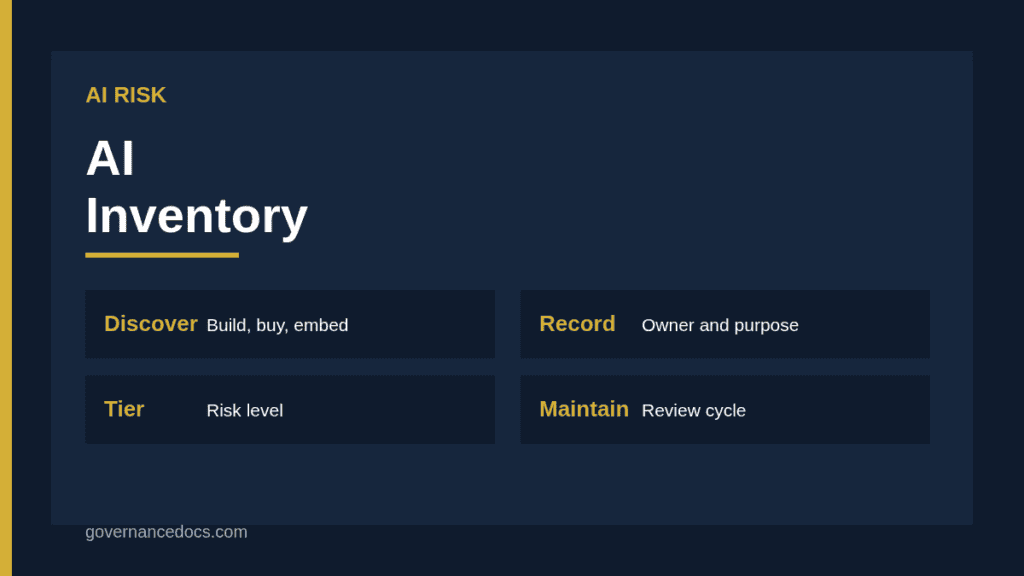
An AI inventory is a register of every AI system your organization develops, buys, embeds or uses, with enough information to assess and manage the risks. It is the base for almost everything else in AI governance. You cannot assess the impact of a system you do not know about, apply controls to a model nobody owns or answer a regulator’s question about where AI is used.
This guide explains what an AI inventory is for, what to include in scope, which fields to record, how to discover AI you do not know about, how to tier systems by risk, and how to keep the register accurate.
Why an AI inventory comes first
The NIST AI Risk Management Framework includes, in its Govern function, a call for mechanisms to inventory AI systems, resourced according to organizational risk priorities. You can read the framework on the NIST AI Risk Management Framework page. Management system standards such as ISO/IEC 42001 rely on knowing the AI systems within scope in order to plan risk assessment, impact assessment and controls, and the EU AI Act attaches obligations to specific systems and uses, which cannot be met without knowing what exists. Our guide to the NIST AI RMF implementation shows where the inventory fits.
Free AI risk assessment
Which of your AI systems could harm people, or you?
List your AI systems, models and data, pick from 38 AI risk scenarios, rate them for the people affected and for you, and plan treatment with ISO 42001 Annex A controls. You get a heat map, a process score and the findings an auditor would raise, free.
The inventory also answers practical questions quickly. Which systems use personal data? Which are supplied by a single vendor? Which support decisions about people? Which are high risk under the AI Act? Without a register, each question becomes a project.
What counts as an AI system in your AI inventory
Define scope in plain language. The EU AI Act defines an AI system as a machine-based system designed to operate with varying levels of autonomy that infers, from the input it receives, how to generate outputs such as predictions, content, recommendations or decisions that can influence physical or virtual environments. Use a similar working definition, and include the following.
Systems you build. Models developed internally, including those embedded in products.
Systems you buy. Software with AI features from suppliers, including features switched on inside familiar tools.
General-purpose tools. Chatbots, coding assistants and image generators used by staff, whether approved or not.
Models accessed by interface. Foundation models called from your own applications.
Systems used by others on your behalf. Agencies, contractors and processors using AI in delivering services to you.
Retired and pilot systems. Keep a record, since pilots become production quietly.
Fields to record
Start with a small set that you can maintain, and add more as needed. The following fields cover most needs.
Field group
Examples
Identity
Name, ID, version, description, status (pilot, live, retired)
Ownership
Business owner, technical owner, supplier and contract reference
Purpose and use
Intended use, users, decisions supported, affected people
Data
Data sources, personal or special category data, training data provenance where known
Model
Type, provider, hosting location, whether trained on your data
Risk
Risk tier, regulatory classification, date of last assessment
Controls
Human oversight, testing, monitoring, incident route
Lifecycle
Go-live date, next review, change history
Keep the fields simple for people to complete
A register that takes an hour per entry will not be maintained. Use drop-down lists, pre-fill from procurement and IT records and ask owners only for what nobody else knows, such as purpose, decisions supported and affected people. Add detail for higher-risk systems through linked assessments rather than adding dozens of fields to every row.
Finding AI you do not know about
Discovery is the hardest step of an AI inventory, because AI arrives through many doors. Use several methods and compare the results.
Procurement and finance data. Review purchases, subscriptions and expense claims for AI-related vendors.
IT and network data. Look at approved application catalogs, single sign-on records, and, where lawful and proportionate, web traffic to known AI services.
Supplier notices. Read release notes and communications for new AI features in existing products.
Business surveys and interviews. Ask each team what AI tools they use, including personal accounts used for work.
Development records. Check code repositories, model registries and cloud accounts for machine learning workloads.
Amnesty and simple reporting. Invite staff to register tools without penalty, and give them an easy form.
Shadow AI, meaning tools used without approval, is common. A ban tends to push it out of sight, while a clear policy, approved alternatives and a no-blame registration route bring it into the register where it can be assessed.
Tiering systems by risk
Attach a risk tier to each entry, so that effort goes where the risk is. Base it on questions such as whether the system influences decisions about people, uses sensitive data, affects access to services, operates with little human oversight or could cause physical harm. Map to regulatory categories where relevant, such as prohibited practices and high-risk uses under the EU AI Act. Our guide to AI impact assessment screening provides a question set, and prohibited AI practices explains uses that must be avoided. Higher tiers trigger a full assessment, testing, tighter oversight and more frequent review.
Linking the AI inventory to assessments and risks
Each entry should point to the assessments and records that relate to it: impact assessment, DPIA, bias testing results, risk register entries, supplier due diligence and approval decisions. Our guides to the AI risk register and third-party AI impact assessment show how the records connect. The register then acts as an index to the evidence, which is exactly what an auditor asks for first.
Ownership and governance
Every system needs a named business owner who is accountable for its use and its risks, and a technical owner who maintains it. Give the AI governance lead responsibility for the register itself, and require registration as a step in procurement, development and change processes, so that new systems appear automatically. Report headline figures to management: the number of systems by tier, the share assessed, overdue reviews and unowned systems. Our overview of ISO 42001 requirements in a checklist shows how the register supports the management system.
Keeping the AI inventory current
Registers decay fast. Set triggers for updates: new systems, new features in existing ones, changes of supplier or model, changes of purpose or data, incidents and retirement. Run a full review at least annually, asking each owner to confirm their entries, and reconcile against procurement, IT and cloud records to find gaps. Track the age of entries and chase the oldest. Give owners a simple reminder before each review date so that updates are not left to the last week. Retire entries formally when systems are decommissioned, with a note on what happened to the data and models.
Where several teams use the same supplier, record the relationship once and link each use case to it, since the supplier’s changes will affect every one of them at the same time.
A short worked example
A services company starts its inventory with a survey and a review of software spending. It finds 46 systems: nine internal models, 22 vendor products with AI features, twelve general-purpose tools and three pilots. Six are used to make or support decisions about people, including a screening tool in the HR platform and a fraud score from a payments provider, and these are tiered high. Three general-purpose tools were being used by staff without approval, and the company registers them, approves one and provides guidance and an alternative for the others. Each entry has an owner, and the six high-tier systems are scheduled for full assessments over the next quarter.
Common mistakes with an AI inventory
Organizations limit the register to models built in-house, ignore embedded features, rely on a one-time survey, capture too many fields, fail to assign owners, do not tier by risk and never review. Another mistake is building the inventory as a separate spreadsheet unconnected to procurement and change processes, so that it is out of date within months. Make registration a gate in the processes that introduce AI.
Using a ready structure
If you want a structure that connects the register to scoring and treatment, the AI Risk Assessment Report and Workbook provides a structured report and working register that can carry entries for each system alongside risk ratings. Whichever tool you use, keep the AI inventory complete, owned and connected to the assessments that follow from it.
AI inventory FAQ
What is an AI inventory?
It is a register of all AI systems an organization builds, buys or uses, recording owner, purpose, data, supplier, risk tier and review dates so that risks can be assessed and managed.
Does it need to include third-party tools?
Yes. Vendor products with AI features and general-purpose tools used by staff often carry the most surprising risks, and you remain accountable for how you use them.
How do I find shadow AI?
Combine procurement data, IT records, supplier notices, surveys and a no-blame registration route, and provide approved alternatives so people bring tools forward.
Who should own the register?
The AI governance lead owns the register, while business owners are accountable for entries about their systems and technical owners maintain the technical detail.
How often should it be updated?
Update on triggers such as new systems, new features, supplier changes and incidents, and review it in full at least annually with owner confirmation.