AS9100 configuration management is the requirement in clause 8.1.2 that your organisation plan, implement and control a process so that what you build, what you deliver and what your documents say are always the same thing. It is one of the additions that separates AS9100D from ISO 9001, and it is a frequent source of audit findings in small and mid-sized aerospace suppliers.
This guide explains what the clause asks for, what changed from the older revision, how to build a proportionate process, and what records an auditor will expect. For the wider comparison, see our AS9100 vs ISO 9001 guide.
Free gap assessment
Are you ready for the 2026 edition of ISO 9001?
Score yourself against the new edition, free, including the risk and opportunity split and the clause 10 renumbering that breaks converted checklists.
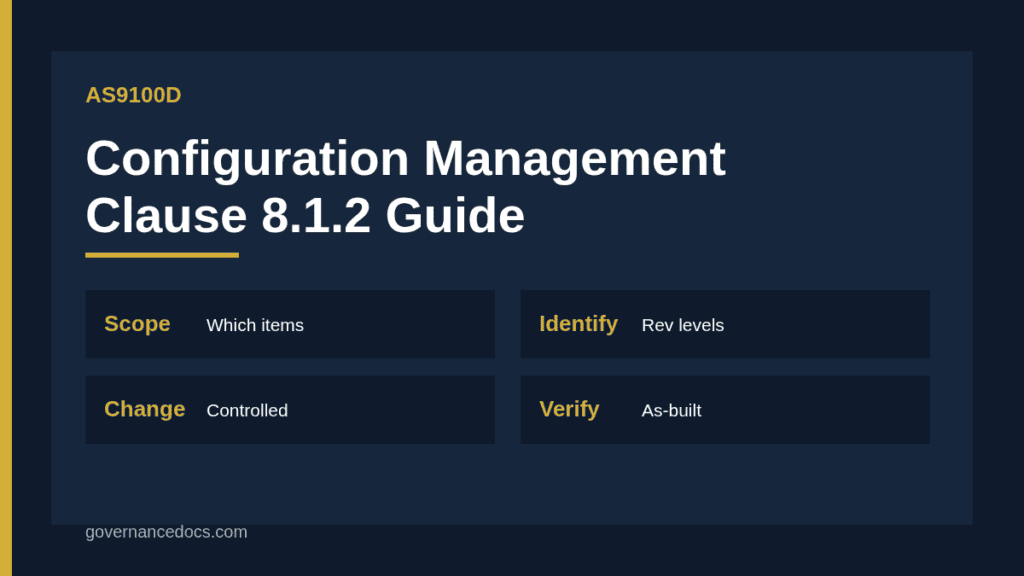
Clause 8.1.2 of AS9100D asks for a configuration management process with two objectives. First, it must control the identity and traceability of the product, including the management of identified changes. Second, it must ensure that the documented information for the product or service, such as drawings, specifications and parts lists, stays consistent with the actual attributes of the product. The process must be suited to your products and services and cover the lifecycle you are responsible for.
The wording is short on purpose. The older AS9100C revision listed specific steps: configuration management planning, configuration identification, change control, configuration status accounting and configuration audits. Practitioners note that Revision D removed those prescriptive steps and left the outcome, which gives flexibility but leaves suppliers unsure of what will satisfy the auditor. In practice, the old five steps remain a sensible way to organise your answer.
Element
What it means
Typical evidence
Planning and scope
Which products need configuration control, and how
Procedure, list of controlled items
Identification
Part numbers and revision levels on data and on hardware
Drawings, parts lists, marking records
Change control
Changes reviewed, approved and implemented in a controlled way
Change requests, approvals, effectivity records
Status accounting
Knowing which revision is in each product at any time
Build records, traveller, as-built lists
Verification
Confirming the product matches its approved definition
Final inspection, first article records
Scoping AS9100 configuration management for your products
Not every part needs the same rigour. Start by deciding which items carry configuration control: usually assemblies and products with multiple components, software, and anything the customer has flagged in the contract. A simple machined bracket built to a customer’s drawing may need only revision control on the drawing and the traveller, while a wiring harness or an avionics assembly needs a full as-built record listing component revisions.
Take care to keep two concepts apart. A configuration item is something subject to configuration management. A critical item, in the AS9100 sense, is one that needs specific controls because of its effect on safety or performance. A part can be one, both or neither, and mixing the two up is a classic finding. The related requirements on product safety are in our AS9100 product safety guide.
Customer requirements come first
Where a customer flows down configuration requirements in a contract or a supplier manual, those requirements override your own shop policy. Read the purchase order clauses, record which ones apply, and reflect them in your travellers and inspection plans. Defence and space customers in particular may point to the SAE EIA-649 family of standards, and the guidance standard ISO 10007 is often cited as a reference for how to structure a process, though neither is mandatory unless the contract says so.
Change control in an AS9100 configuration management process
Change is where configuration goes wrong. A revised drawing arrives by email, the shop floor keeps machining to the previous one, and the mismatch surfaces at delivery. A workable change process has five steps.
Receive and log. Record every change request, whether from the customer, engineering or the shop floor.
Assess. Judge the effect on form, fit, function, cost, schedule, inventory and existing work in progress.
Approve. Obtain the required approvals, including customer approval where the contract demands it.
Implement. Update the documents, define the effectivity, and decide what happens to stock and work in progress.
Verify and close. Confirm that the new revision is the one in use and that superseded copies are withdrawn.
Link this to your document control so obsolete revisions cannot reach the floor. Our first article inspection guide explains how a change can trigger a new first article inspection, which is one of the verification steps in the process.
Records and identification under AS9100 configuration management
Identification has two sides. The design data carries part numbers and revision levels, and the physical product carries a matching mark or a traveller that references them. Auditors often check that both agree, and that a master assembly in the design data refers to the correct revision of each component. Where you build to serial numbers or lots, your records should let you say which revisions went into each one. That same record is what you rely on in a recall or an investigation, and it supports the traceability discussed in our AS9100 counterfeit parts guide.
A hypothetical example
Imagine a small shop that builds a hydraulic manifold assembly for an airframe supplier. The assembly has a machined body, four fittings and two seals. The shop lists the assembly as a configuration item, its drawing at revision C. When the customer issues revision D, which changes a fitting, the change log records the request, engineering assesses the effect on existing stock, the customer confirms the effectivity as the next production lot, and the traveller template is updated. Twelve units in progress are finished to revision C under a documented concession, and the as-built record for each unit lists the revision of every fitting fitted. The final inspection confirms the assembly matches the approved definition. The example is illustrative and does not describe any real product.
Software, suppliers and digital data
Configuration does not stop at metal. If your product includes firmware, a programmed device or a machine program such as CNC code, the software version belongs in the configuration record just like a drawing revision. Store approved programs under revision control and record which version made each lot. The same applies to digital design data received from customers: log the model version and date, and check that programmers are working from the current file. For outsourced processing, send the revision on the purchase order and ask the supplier to confirm it on the paperwork that comes back.
Common findings on AS9100 configuration management
No defined scope. The procedure covers “all products” without saying what that means.
Revision mismatch. The traveller shows one revision and the drawing another.
Tooling over-controlled. Effort is spent on fixtures that the standard leaves to your discretion.
Change without effectivity. A change is approved but nobody records when it takes effect.
Flow-down ignored. Customer configuration clauses are not reflected in internal documents.
No as-built record. The revisions of components in a delivered assembly cannot be shown.
Most of these can be resolved with a one-page scope statement, a change log and a simple as-built template.
Auditing and improving the process
Include AS9100 configuration management in your internal audit programme. A useful method is to trace a delivered product backwards: take one shipped unit, list its as-built record, pull the drawing revision named there, and check that the traveller, the inspection record and the certificate of conformance all agree. Then trace a recent change forwards, from request to approval to first product built to the new revision. Two samples of each will show most weaknesses in an afternoon.
Feed the findings into corrective action and look for causes, such as a missing step in the change form or a traveller template that nobody updates. Training matters too. Planners, machinists and inspectors should know why the revision letter matters, how to spot a superseded document and whom to call when the drawing and the traveller disagree.
Roles and responsibilities
Engineering or the technical lead usually owns the configuration definition and the change decisions, quality owns document control and verification, production follows the traveller and reports mismatches, and purchasing passes revision data to suppliers. Name one person accountable for the process. Where a supplier makes parts to your data, make sure your purchase orders state the revision and that incoming inspection checks it.
Getting the documents in place
The records involved are simple but must be consistent: a configuration management procedure, a controlled-item list, a change request form, a change log, an as-built template and an audit checklist. The AS9100 Toolkit includes templates for these, which you can tailor to your products and customer contracts. A useful outside reading is the Advisera overview of configuration management in AS9100 Rev D. Always confirm requirements against your licensed copy of the standard and your customer contracts.
AS9100 configuration management FAQ
Which clause covers configuration management in AS9100D?
Clause 8.1.2, within operational planning and control.
Do I need to follow the older five-step model?
Revision D dropped the prescriptive steps, but planning, identification, change control, status accounting and verification remain a practical structure for the process.
Is configuration management the same as document control?
No. Document control keeps documents current, while configuration management keeps the product, its identity and its documents consistent with each other.
Does every product need configuration management?
The process should be appropriate to your products, so simple parts may need only revision control, while complex assemblies and customer-specified items need more.