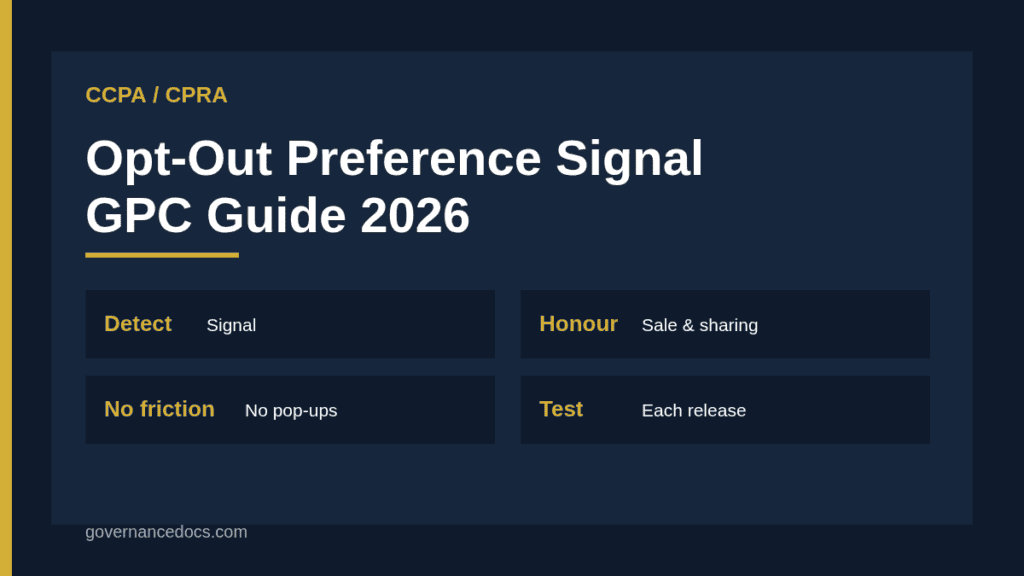
The CCPA opt-out preference signal is a setting in a browser or device, such as Global Privacy Control, that tells every site a consumer visits not to sell or share their personal information. Under the California regulations, a business that receives one must treat it as a valid request to opt out, and regulators have made checking that behaviour a priority.
This guide explains what the rule says, what your website and tag setup must actually do, how the signal interacts with your own consent settings, how the coming browser requirement fits in, and how to test your implementation. For the wider law, see our CCPA compliance guide.
Free gap assessment
Could you demonstrate GDPR compliance today?
Score yourself against what a supervisory authority actually asks for, free — the records, not the policy.
What the CCPA opt-out preference signal rule requires
Section 7025 of the CCPA regulations covers opt-out preference signals. Its core requirement is that a business must process the signal as a valid request to opt out of the sale or sharing of personal information for the browser or device that sent it, and for any consumer profile associated with that browser or device, including pseudonymous profiles. Where the business knows who the consumer is, for example because they are logged in, the opt-out extends to that consumer’s account information and any offline data linked to it, not only to the device.
The rule also limits what you may do in response. The business may not charge a fee, degrade the service or show a pop-up because of the signal, and it does not need to ask the consumer for extra information. It may display on its site that it has honoured the signal.
Situation
What the rule expects
Signal received from browser
Treat as a valid opt-out of sale and sharing for that browser or device
Consumer is known, e.g. logged in
Apply the opt-out to the consumer’s account and linked data
Signal conflicts with your own setting
Honour the signal; you may offer the chance to consent, following the regulation’s process
Financial incentive programme
You may explain that opting out ends participation, but only if the consumer affirms that intent
Response to the signal
No fees, no degraded experience, no pop-ups
Sale and sharing: where the CCPA opt-out preference signal applies
The signal is aimed at sale and sharing. Under the CCPA, sharing means disclosing personal information to a third party for cross-context behavioural advertising, which is how many advertising tags work even without money changing hands. If your site fires advertising or analytics tags that pass identifiers to third parties for advertising, those tags are in scope, and they must stop, or be configured to a restricted mode, when a signal arrives. Processing that stays with a service provider under a proper contract is a different matter, so make sure your vendor terms are right. Our service provider vs contractor guide explains the distinction.
The conflict rule
Suppose a consumer previously agreed in your cookie banner to sale or sharing, and their browser now sends an opt-out signal. The regulation tells you to honour the signal. You may notify the consumer of the conflict and give them a chance to confirm their consent, but until they do, treat them as opted out. Do not resolve the conflict silently in favour of the banner, because the recorded consent may be older or less deliberate than the browser setting.
Free privacy risk assessment
Which privacy risks would hurt the people whose data you hold?
List your personal data and processing, pick from 38 privacy risk scenarios, rate them for the people concerned and for you, and plan treatment with ISO 27701 controls. You get a heat map, a process score and the findings an auditor would raise, free.
Why the CCPA opt-out preference signal is an enforcement priority
The California Attorney General’s 2022 settlement with Sephora put failure to honour Global Privacy Control in the spotlight, and the California Privacy Protection Agency has continued the theme. In 2025 it announced a multistate sweep of businesses on opt-out signal compliance with regulators in other states, and reporting since describes penalties for businesses whose opt-out mechanisms did not work. Verify the current enforcement record on the agency’s site before quoting figures, as amounts and cases move.
The reason is practical. A signal is easy to test from the outside: a regulator turns it on, visits your site and looks at what your tags do. There is no need to wait for a complaint. Our CCPA penalties guide sets out how violations are counted and what regulators can impose.
The browser requirement and what it changes
California’s Opt Me Out Act, AB 566, requires browser developers to provide a setting that automatically sends an opt-out preference signal to websites. It takes effect on 1 January 2027 according to legal commentary, and it is enforceable by the state’s privacy agency and Attorney General. It does not add new duties for websites, since businesses already had to honour signals. What changes is reach: signals will be easier for ordinary consumers to turn on, so more of your traffic will carry them. Sites that only half-work today will see the gap widen.
How to implement the CCPA opt-out preference signal
Detect the signal. Read the signal in the browser, for Global Privacy Control the navigator property, and on the server from the request header where you can.
Map it to a state. Set the visitor’s status to opted out of sale and sharing before any advertising tag fires.
Control your tags. Configure the tag manager so advertising and cross-context tags are blocked or restricted for opted-out visitors.
Carry it across. Apply the opt-out to the logged-in account and to downstream partners, using your usual processes for passing opt-outs.
Keep the interface clean. No pop-ups, fees or degraded pages in response to the signal.
Record and test. Log the opt-out, then retest each release.
How to test the CCPA opt-out preference signal
Use a browser with the signal enabled, clear cookies, then load your home page, a product page and a checkout flow while watching network requests. No request to advertising or data-broker endpoints should carry identifiers once the signal is on. Repeat with the signal off to confirm the tags still fire for consumers who have not opted out, then log in and check the account preference. Keep screenshots and dated results, since that record demonstrates diligence if a regulator ever asks. Also check mobile web and any embedded apps or widgets from third parties, which often bypass the tag manager.
A hypothetical example
An online retailer in California uses a tag manager that loads an advertising pixel on every page. A privacy analyst turns on Global Privacy Control, visits the site and finds that the pixel still fires and sends a hashed email identifier once the visitor logs in. The retailer fixes this in three steps. It adds a rule so that a detected signal sets the visitor to opted out before tags load, it updates the login flow so the account record is marked opted out when a signal was present in the session, and it adds the check to the release checklist. The privacy notice is updated to say the signal is honoured. The example is illustrative and does not describe any real company.
Ownership and governance
Responsibility for the CCPA opt-out preference signal usually spans three teams. Privacy or legal owns the requirement and the notice text, marketing owns the tags and the tag manager, and engineering owns detection and account-level propagation. Assign one accountable person, add signal testing to your release process, and report the result to whoever owns privacy risk each quarter. When you add a new advertising vendor, make the signal check part of onboarding, so the vendor is configured correctly from the first day and not discovered later during a scan.
Common mistakes with the CCPA opt-out preference signal
Banner overrides signal. A stored consent beats the browser setting, contrary to the conflict rule.
Tags fire before detection. The signal is read after the advertising tag has already loaded.
Only the device is covered. Logged-in accounts and linked data are not updated.
Friction added. A pop-up asks the consumer to confirm the opt-out.
Privacy policy silent. The policy does not explain how you treat signals.
No retesting. A tag manager change silently reintroduces a tracker.
Documents and next steps
Beyond code, you need a written procedure, a data-flow record of which tags pass what to whom, updated privacy policy text and a test log. The CCPA/CPRA Toolkit includes templates for privacy notices, consumer request handling and vendor terms that support these records, which you can adapt to your stack. If you also sell to Californians via data brokers, read our guide to the California Delete Act. The primary text is in 11 CCR section 7025, and it is worth reading the whole section alongside your implementation.
CCPA opt-out preference signal FAQ
Do I have to honour Global Privacy Control?
Yes. Section 7025 requires businesses to treat a recognised opt-out preference signal as a valid request to opt out of sale and sharing.
Can I show a pop-up asking the consumer to confirm?
No. The regulation bars pop-ups, fees and degraded experiences in response to the signal, though you may explain a conflict with existing consent settings using the permitted process.
What if the signal conflicts with my cookie banner?
Honour the signal. You may notify the consumer and offer a chance to consent, but you must treat them as opted out in the meantime.
Does the browser law change my obligations?
Not directly. AB 566 places duties on browser developers from 1 January 2027, while your duty to honour signals already exists.